How to delete a number from API
Deleting a number from an API is a common task when managing WhatsApp integrations. Users usually choose to remove their number because they want to switch back to normal WhatsApp usage on that number or connect a different number to the API. APIs provide a structured and secure way to handle this process. In this guide, we’ll walk through the steps to delete a number from an API in a simple and easy-to-follow way.
The process is divided into two parts:
- First, delete the number from Facebook (Meta)
- Then, remove the number from BotBee
Both steps are required to completely disconnect the number from the API.
Part 1: Delete Number from Meta:
- Go to the BotBee dashboard.
- Click on “Connect Account” under WhatsApp.
- Scroll down to your profile section.
- Click on “Manage Account” next to your number
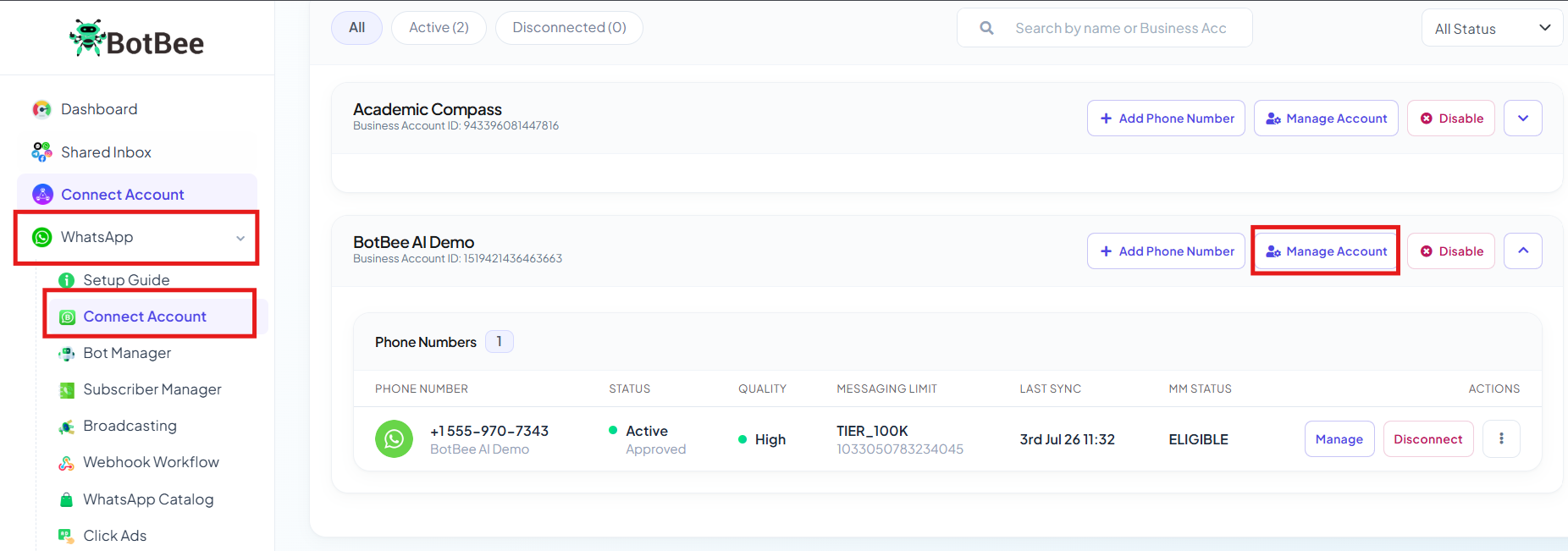
.
- You will be redirected to the Business Overview page in Meta.
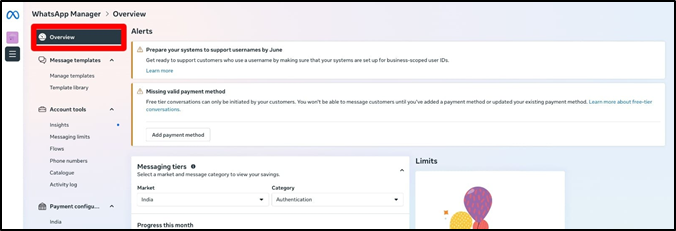
- You will be redirected to "Business Overview" .
- From the left side menu, Click on your Business Portfolio and Go to "Business Settings icon".
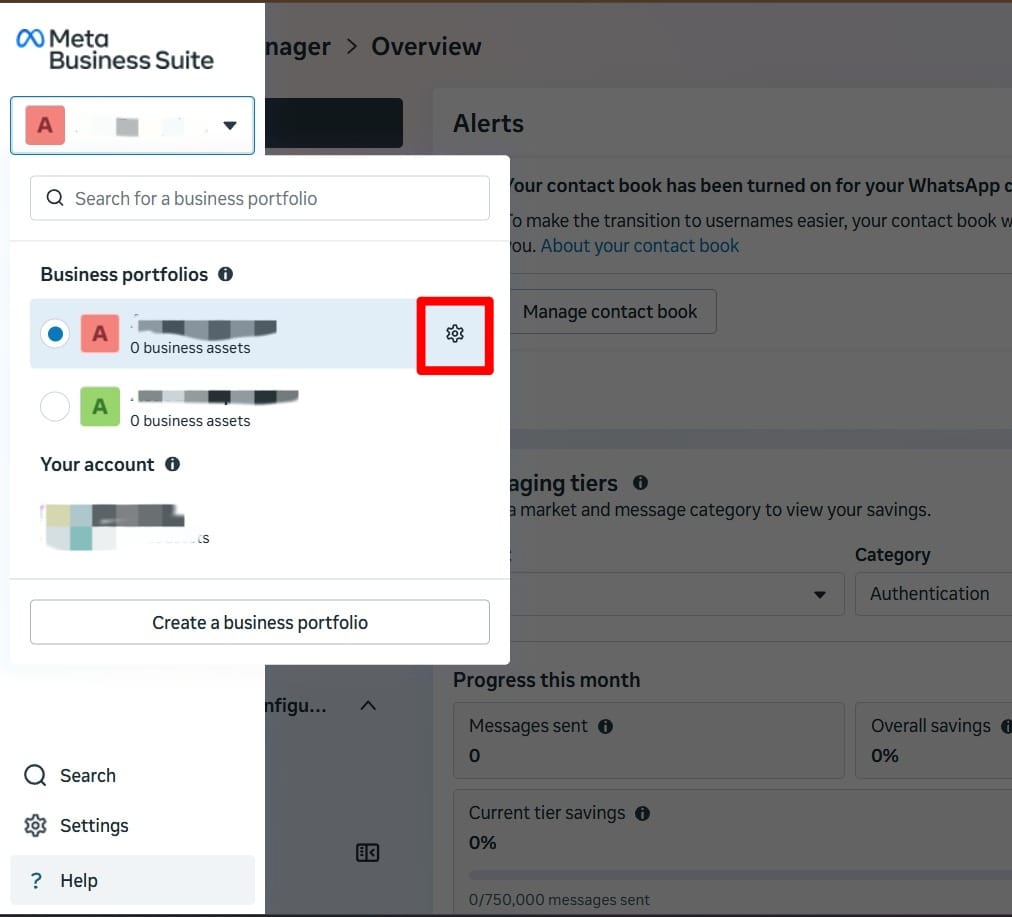
- You will be redirected to the “Phone Number” section.
- Click on the delete icon.
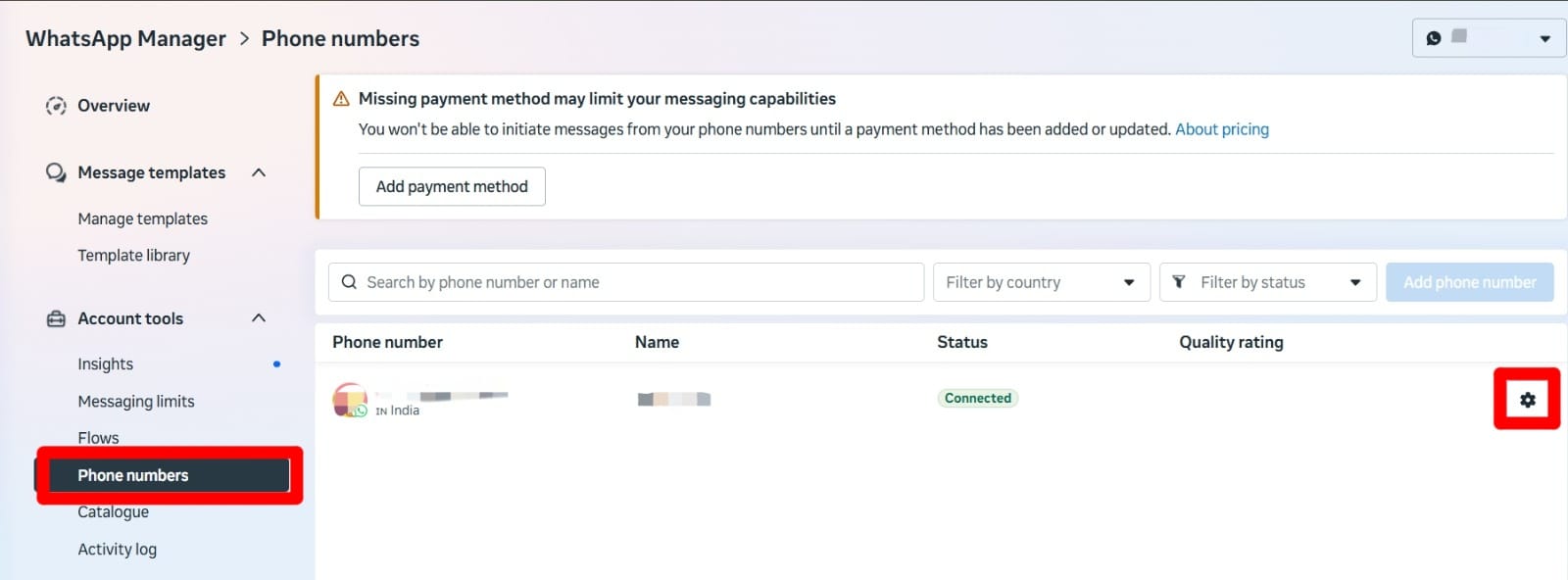
- Enter your Facebook password and select a reason for deletion.
- Click on Delete.
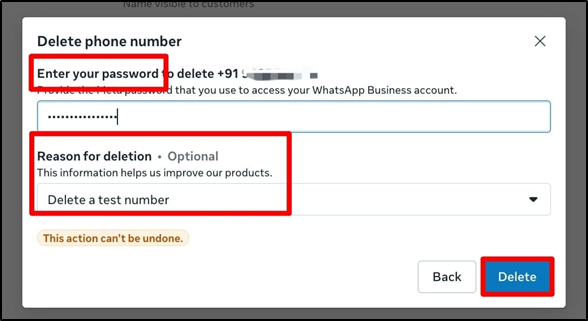
Once you complete these steps, the number will be successfully deleted from Meta. Now, you need to remove the number from BotBee to fully disconnect it from the API.
Part 2: Delete Number from BotBee:
- Go to the BotBee dashboard.
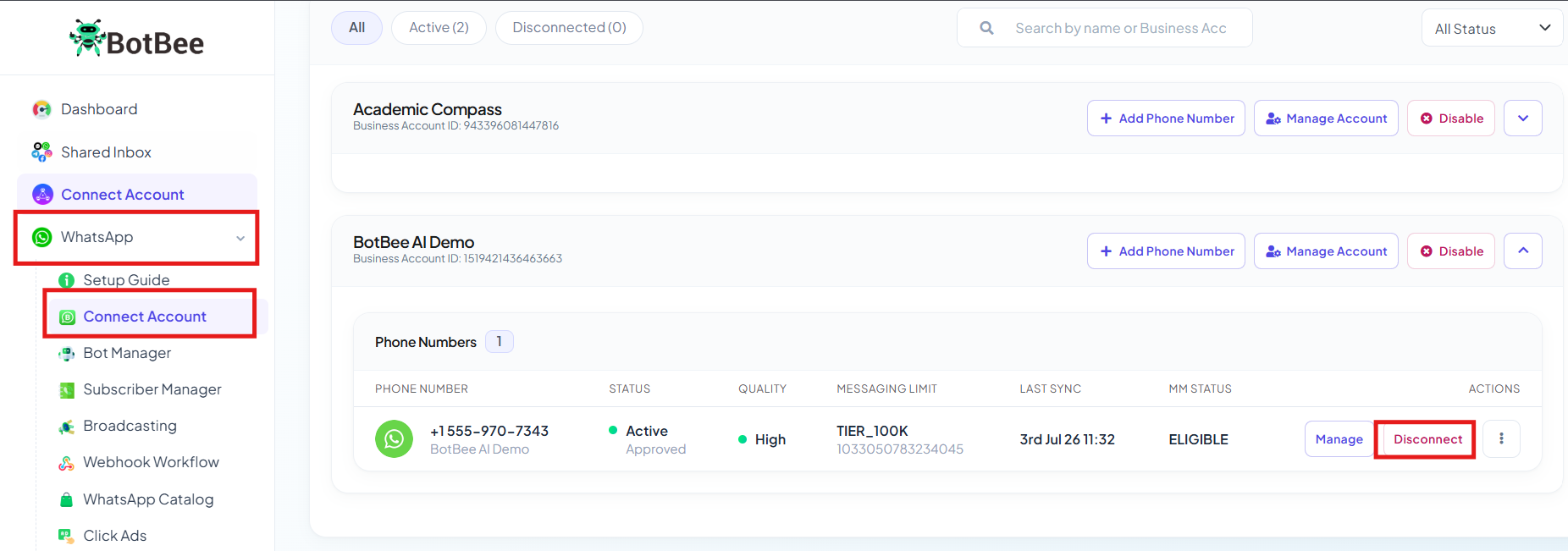
- Click on “Connect Account” under WhatsApp.
- Scroll down to your profile section.
- Click on “Disconnect”.
- It may take up to 2 hours for the number to be completely disconnected from the dashboard.
Deleting a number from an API involves completing both steps—removing it from Meta and disconnecting it from BotBee. Following the process correctly ensures that the number is fully detached and ready to be used again, whether for normal WhatsApp usage or connecting to another service. Always make sure both steps are completed to avoid any connection issues.
Still Need Help?
If you face difficulties during onboarding:
- Take a screenshot or screen recording.
- Share details with our support team.
Our team will review the onboarding step and guide you further.
Contact: 08069645300
Found this article helpful?
( 3 Out of 6 Found Helpful )