Automatically Broadcast New WordPress Blog Post
If you regularly publish blogs and want instant visibility, manually sharing each post on WhatsApp can be exhausting. With BotBee’s WordPress integration, you can fully automate this process every new blog post gets sent directly to your audience without lifting a finger.
Here’s a step-by-step guide to set it up.
Step 1: Create a WhatsApp Message Template:
Before automation kicks in, you need a message template that will be sent whenever a new blog is published.
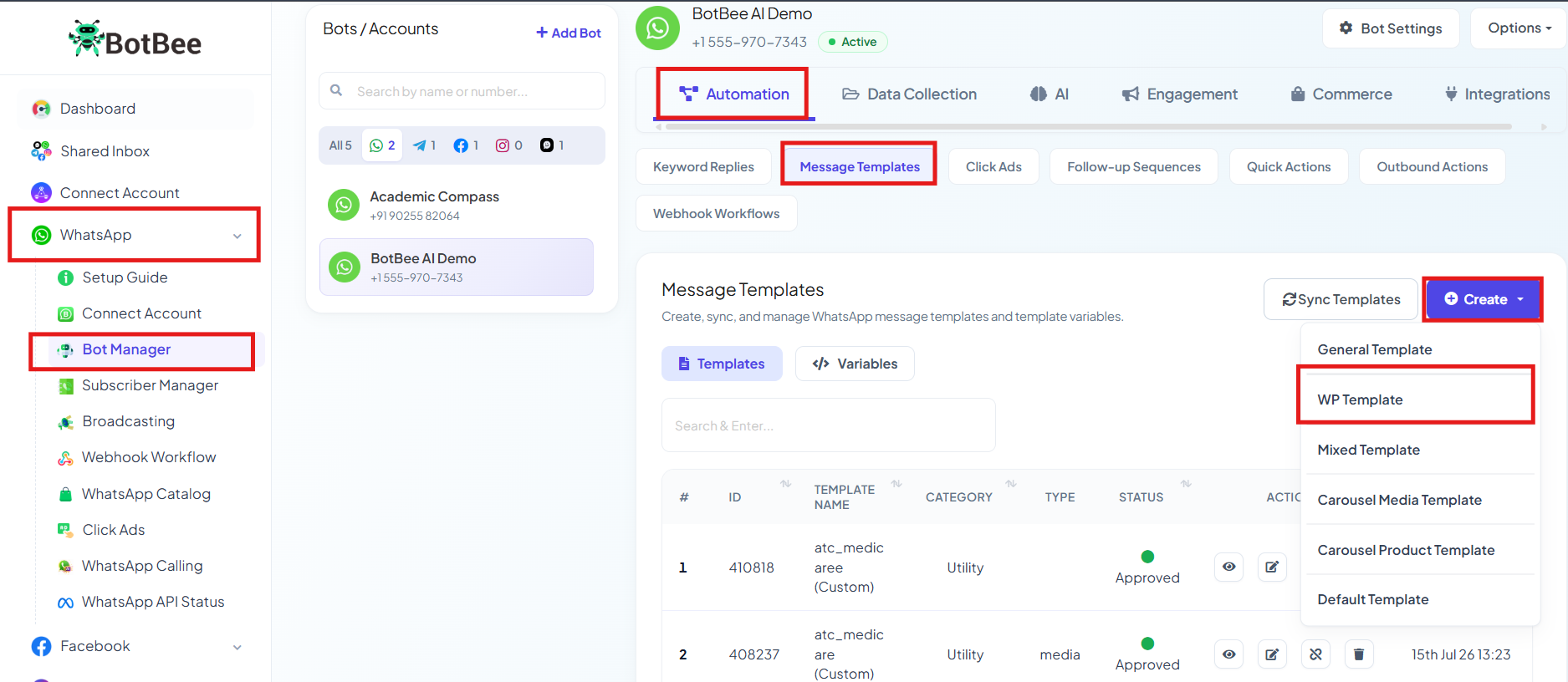
- Go to your BotBee Dashboard
- Navigate to Bot Manager under WhatsApp.
- Click on Message Template under Automation Section
- Select Create
- Choose the WP Template option.
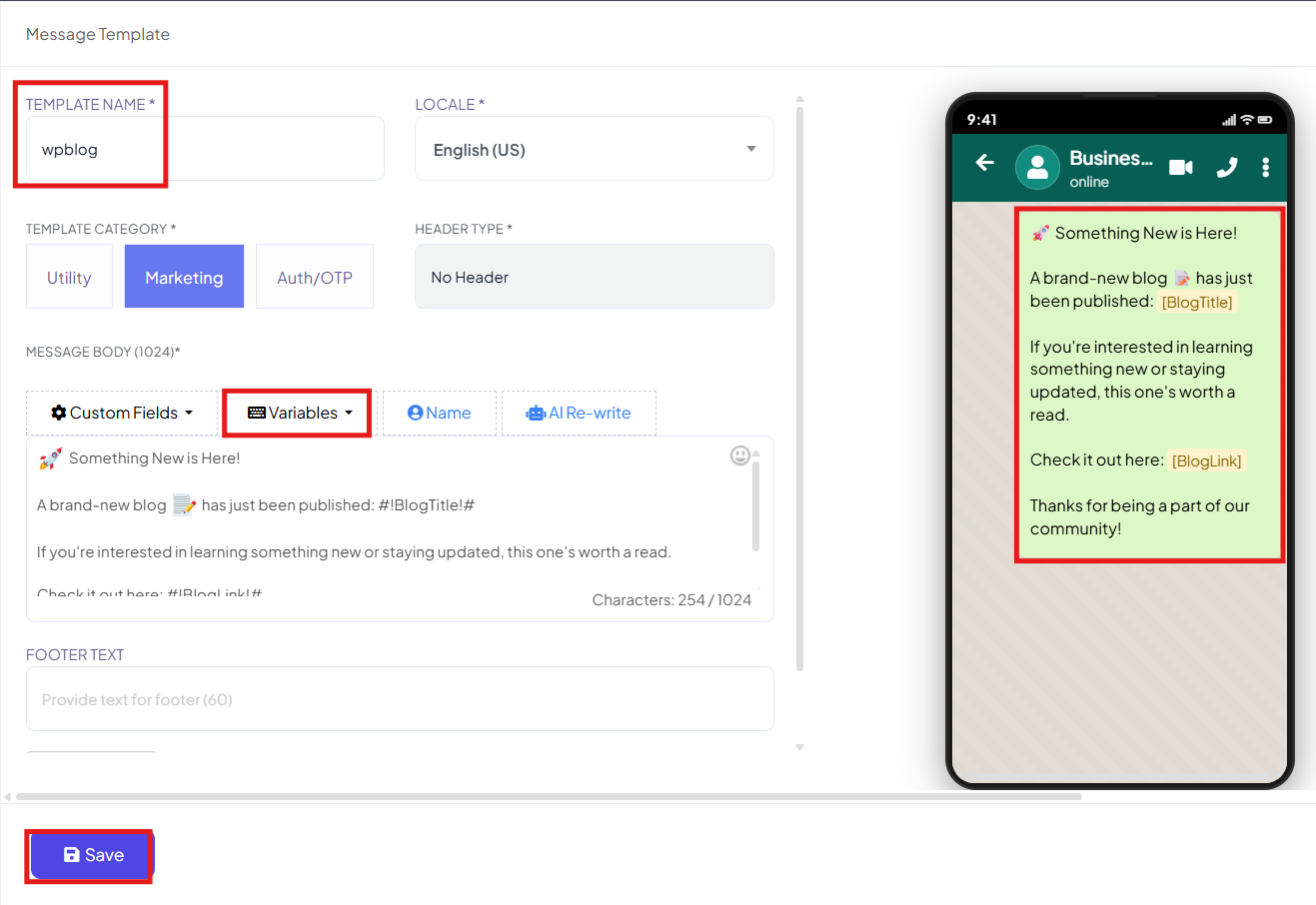
- Enter a template name and select your preferred language.
- Write your message content.
- Make sure to include dynamic WordPress variables like: Blog Title and Blog URL.
- These variables allow BotBee to automatically fetch the correct details for each new post.
- Save the template and Click on Sync Templates to ensure it gets approved and ready for use.
Step 2: Install the BotBee WordPress Plugin:
Next, you’ll connect your WordPress site to BotBee.
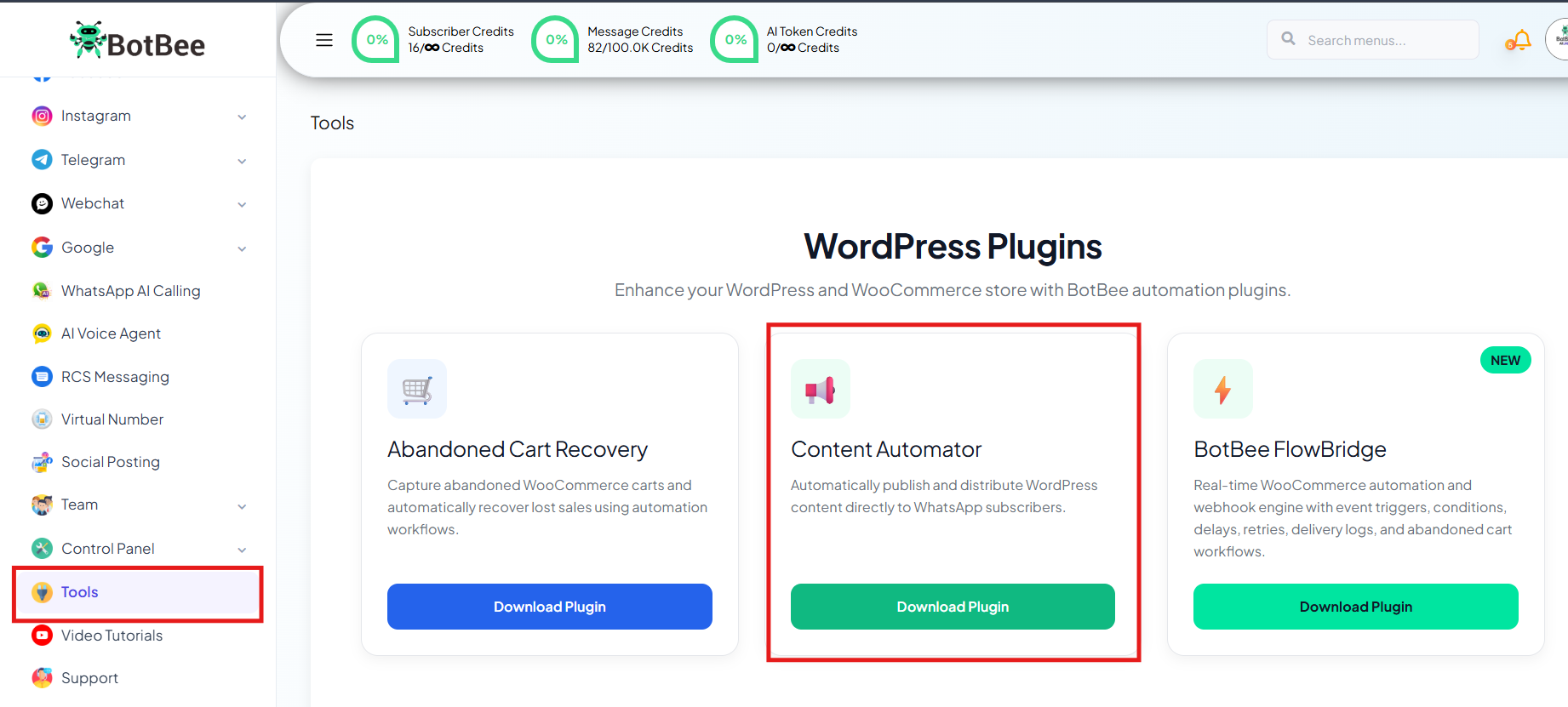
- Go to Tools in BotBee Dashboard.
- Click on WordPress Content Automator Plugin and download it.
- Now head over to your WordPress dashboard.
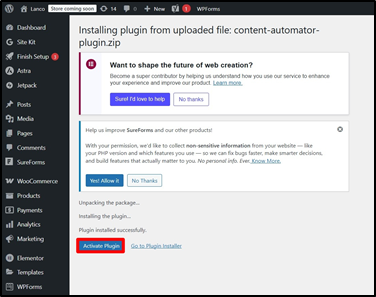
- Navigate to Plugins → Add New.
- Upload the plugin file you just downloaded.
- Click Install Now, then Activate.
Step 3: Connect BotBee to WordPress:
With the plugin installed, it’s time to link everything together.
- Open your BotBee dashboard
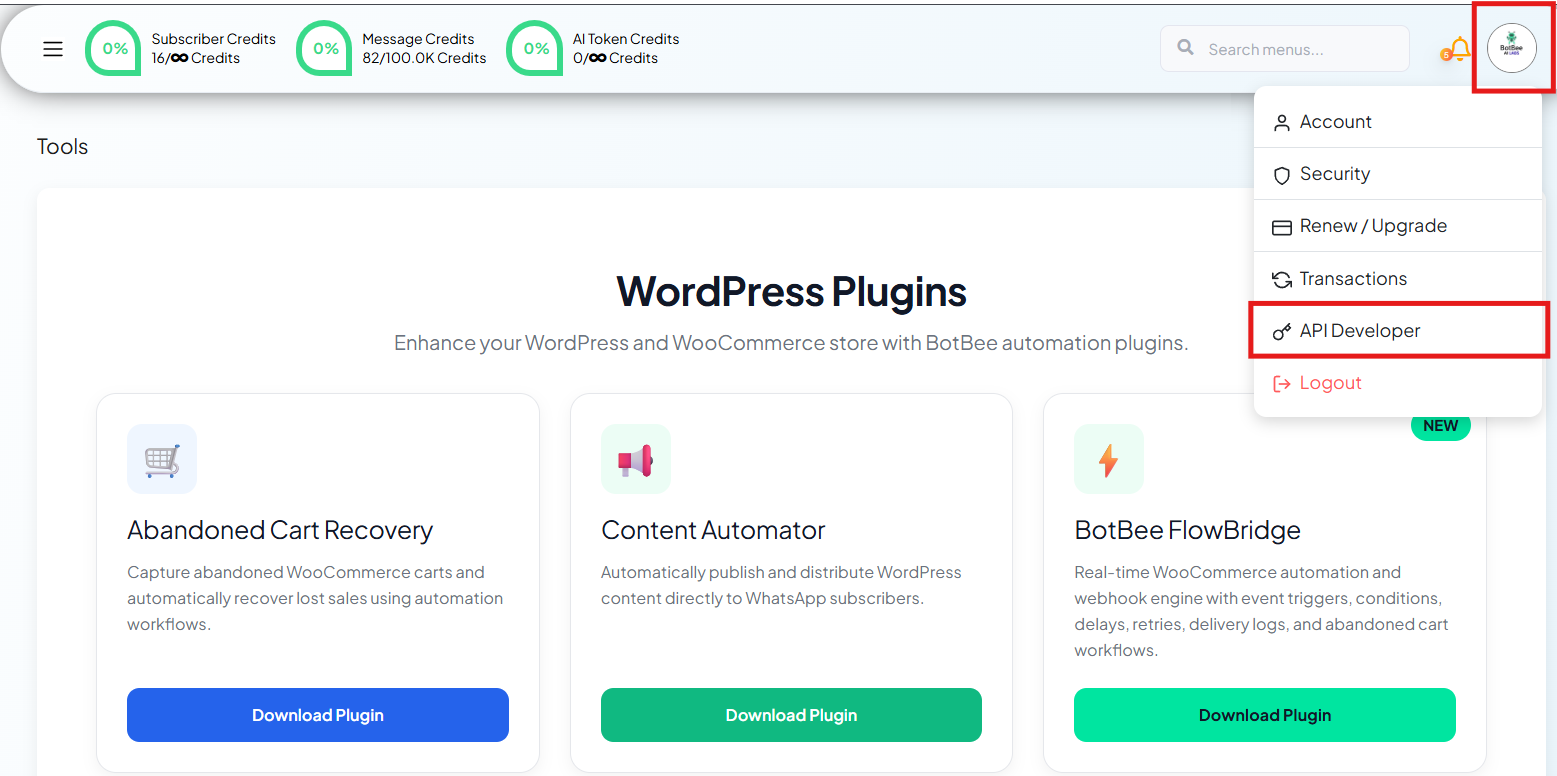
- Click on your profile and go to API Developer.
- Copy your API Key
Back in WordPress:
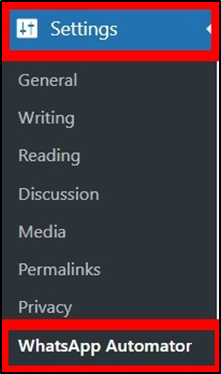
- In WordPress, go to Settings → WhatsApp Automator.
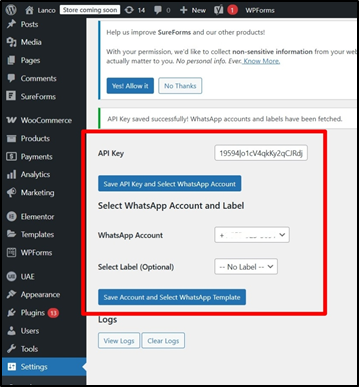
- Paste the API key into the settings and save.
Then configure the rest:
- Select your WhatsApp account
- Choose a label if you want to target a specific audience segment.
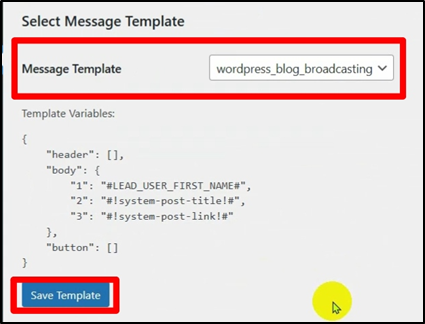
- Select the Message Template you created earlier
- Click Save Template.
- Lets test the automation by posting a demo blog in your website.
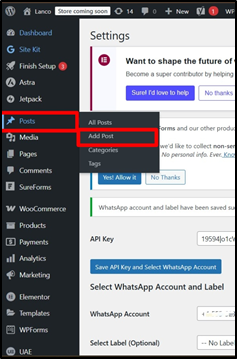
- In your WordPress Dashboard, Go to Posts → Add Post.
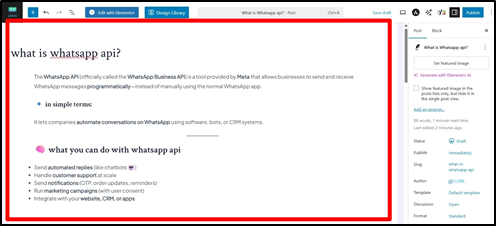
- Write a new blog and publish it.
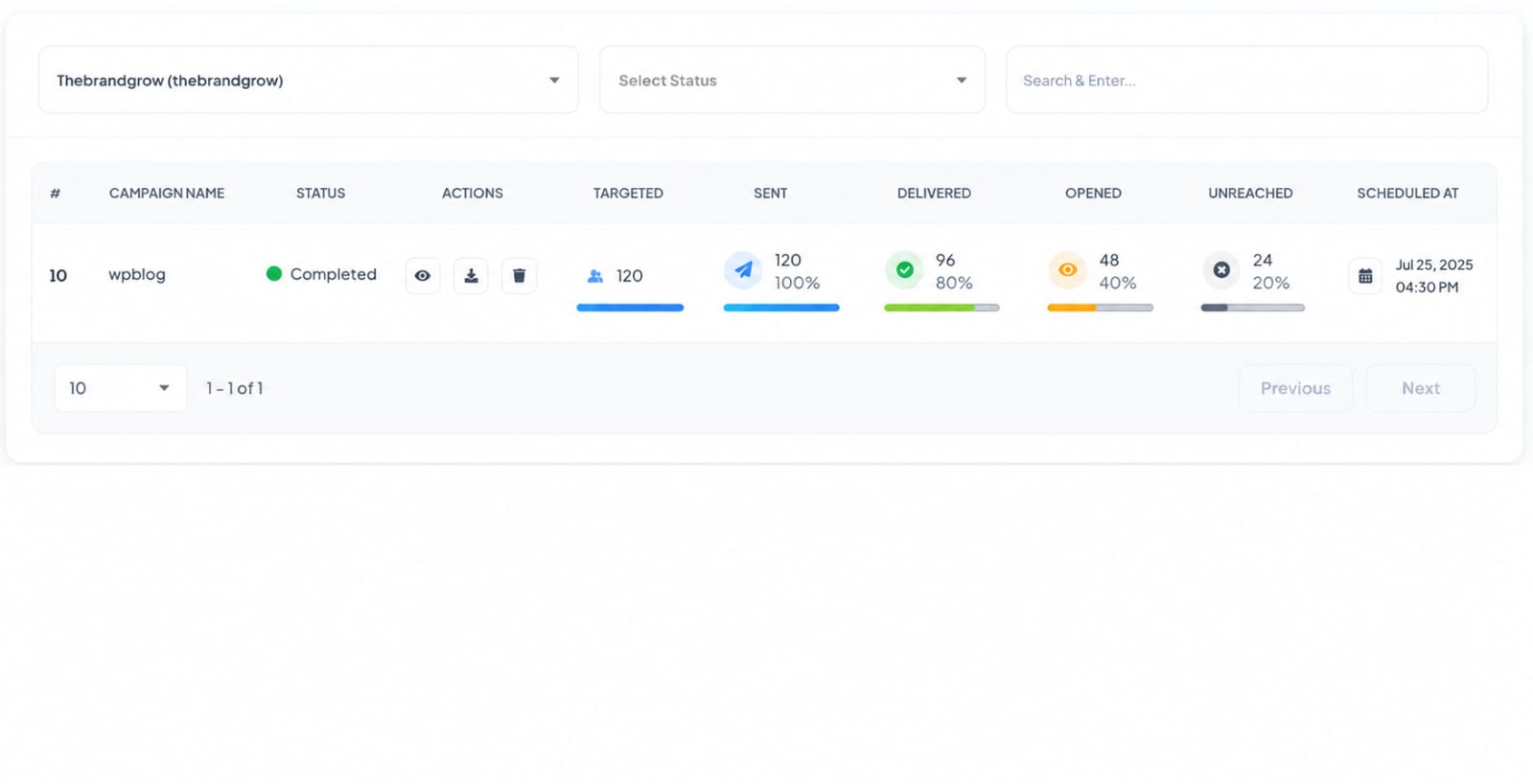
- Every time you publish a new blog post, BotBee automatically creates a WhatsApp broadcasting campaign.
- You can monitor it inside the Broadcasting section in BotBee.
Why This Matters
- Instead of manually sharing links, you now have:
- Instant blog distribution
- Consistent audience engagement
- Zero manual effort after setup
- It’s one of those setups that feels small, but saves a ton of time long-term.
Why This Matters
If you face difficulties during onboarding:
- Take a screenshot or screen recording.
- Share details with our support team.
Our team will review the onboarding step and guide you further.
Contact: 08069645300
Found this article helpful?
( 4 Out of 8 Found Helpful )