How to Create OpenAI (ChatGPT) API Key
Integrating OpenAI’s ChatGPT with BotBee enables your chatbot to deliver intelligent, human-like conversations at scale. By connecting ChatGPT’s advanced language model with BotBee’s automation system, businesses can provide faster responses, smarter interactions, and more personalized user experiences across messaging channels. This integration helps transform traditional bots into AI-powered assistants that understand intent, context, and user needs—making customer communication more efficient and impactful.
Step-by-Step Guide to Integrate ChatGPT with BotBee:
Step 1: Create an OpenAI Account:
- Visit platform.openai.com and sign up using your email address.
- Go to “Start Building” from the dashboard beside your profile icon.
- Fill out your relevant information and Click on “Create Organization.”
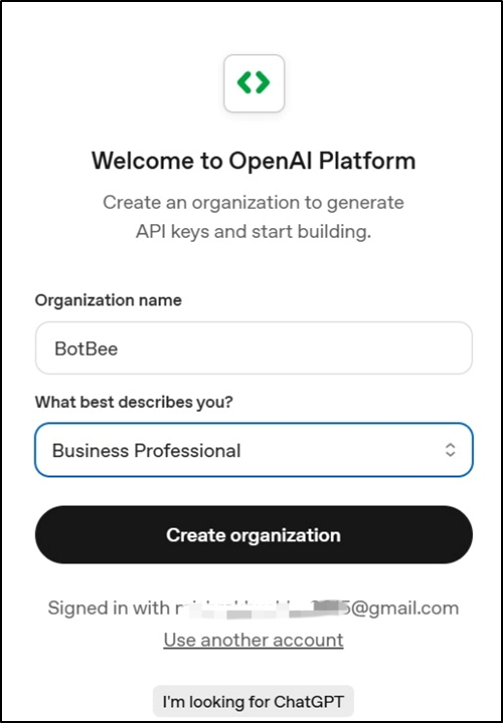
- Now Create a project. Also add the name of your API Key.
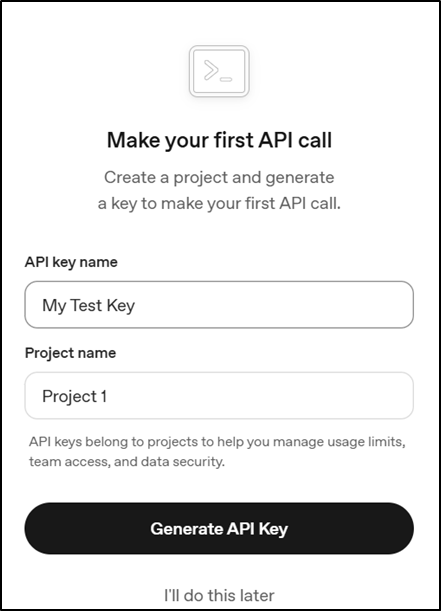
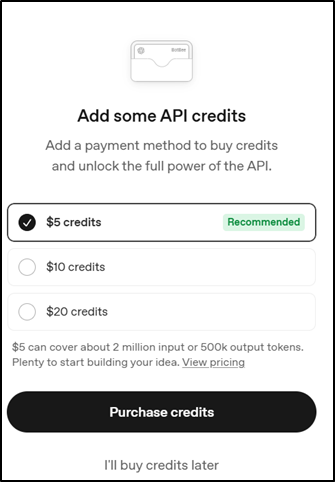
- Purchase the API Keys and Copy the API Key and store it securely.
Step 2: Integrate with BotBee:
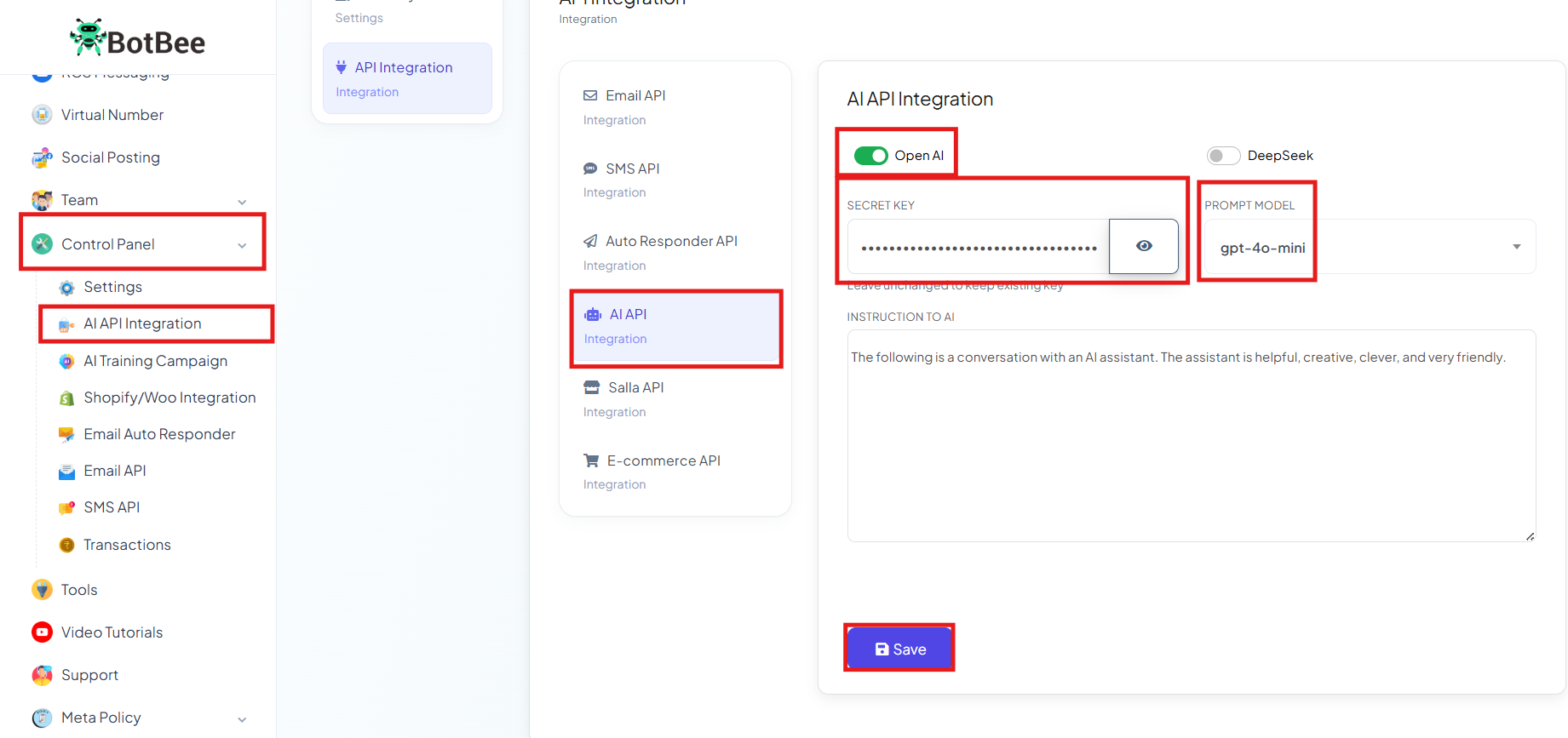
- Log in to the BotBee dashboard, Choose “AI API Integration” under "Control Panel".
- Click on AI Integration under it.
- Paste the copied API key, choose the prompt model as GPT-4.O mini, and click Save.
Integrating ChatGPT with BotBee creates a smarter, more responsive chatbot experience. It enables natural conversations, faster automation, and better user engagement helping businesses communicate more efficiently and scale with AI-powered intelligence.
Reference Video:
If you prefer video tutorials here are the links:
English: https://youtu.be/VWb_lv2jY_k?si=5fw0VEMiWmr37Ihn
Still Need Help?
If you face difficulties during onboarding:
- Take a screenshot or screen recording.
- Share details with our support team.
Our team will review the onboarding step and guide you further.
Contact: 08069645300
Found this article helpful?
( 5 Out of 10 Found Helpful )