Connecting Telegram Bot to BotBee
Connecting Telegram with BotBee allows you to automate conversations, send broadcasts, and create chatbot flows for your Telegram audience. To do this, you first need to create a Telegram bot and then connect it to BotBee using the API token.
Follow the steps below to complete the integration.
1. Create a Telegram Bot:
Before connecting Telegram to BotBee, you need to create a bot using Telegram’s official bot management tool.
Step1: Open BotFather:
- Open your Telegram app and search for BotFather, the official bot creation tool.
- Make sure it has the verified badge.
- Click Start to begin.
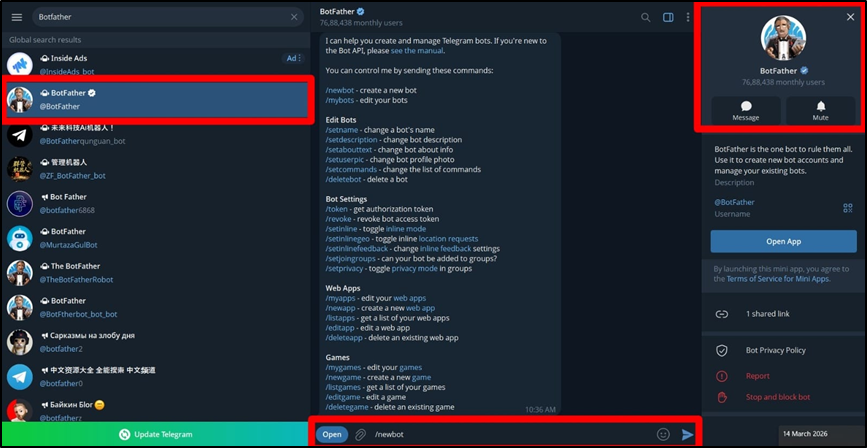
Step 2: Create a New Bot:
- Type the command: /newbot
- This tells BotFather that you want to create a new Telegram bot.
- You will now need to provide two things:
- Bot Name: This is the display name users will see when interacting with your bot.
- Bot Username: This must be unique and must end with the word "_bot".
- If the username is already taken, BotFather will ask you to choose another one.
Step 3: Copy the API Token:
- Once your bot is successfully created, BotFather will generate an HTTP API access token.
- This token is important because it allows external platforms like BotBee to connect with your Telegram bot.
- Copy and save this token safely, as you will need it in the next step.
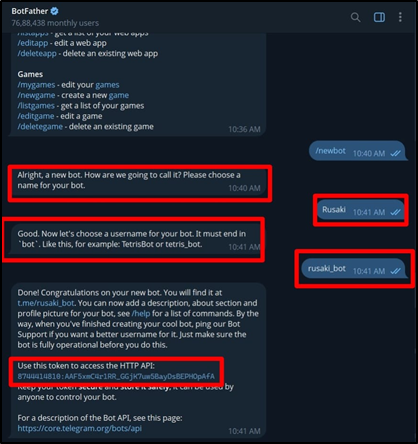
Step 4: Connect Telegram Bot to BotBee:
- Now that your bot is created, you can connect it to the BotBee platform.
- Log in to your BotBee account and go to the main dashboard.
- From the left-hand sidebar menu, click Connect Bot under Telegram Section.
- You will see a field asking for your Telegram Access Token.
- Paste the token you copied from BotFather.
- Click the Connect button.
- BotBee will now establish a connection with your Telegram bot and the integration will be completed.
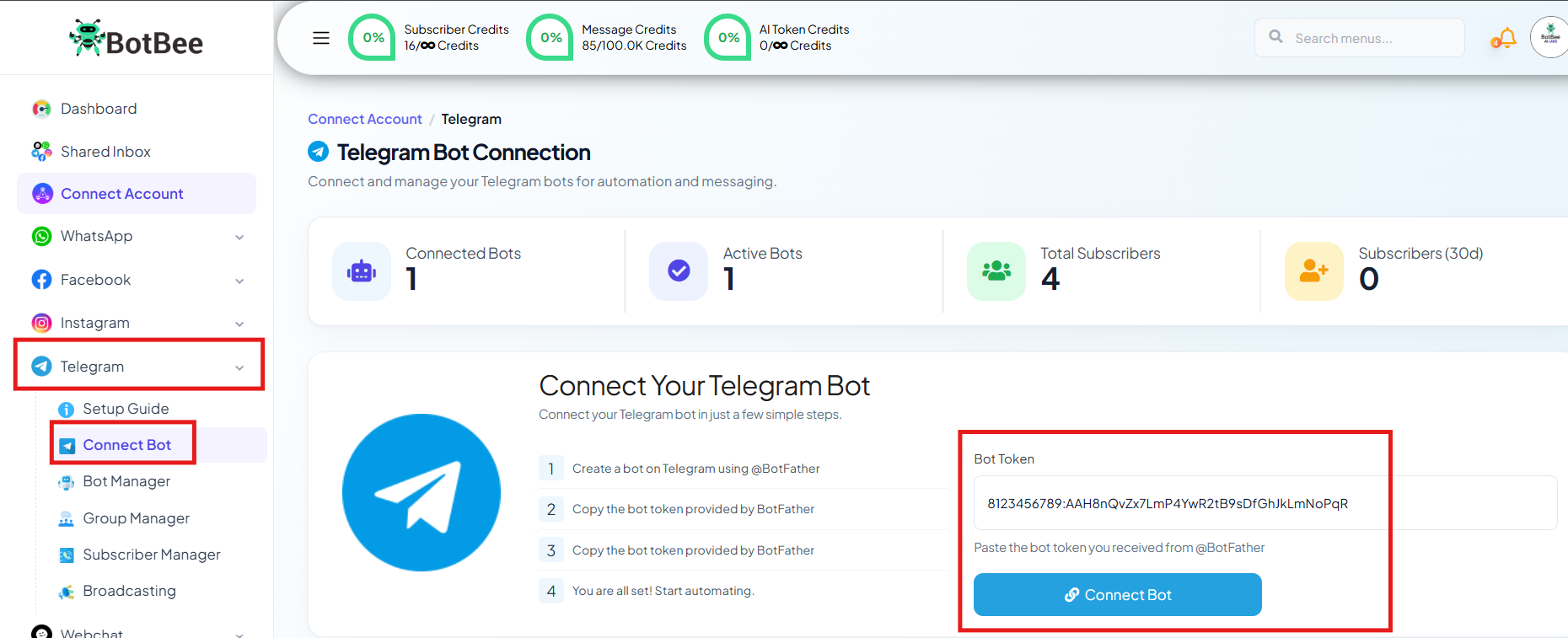
- Sync the Bot now.

Step 5: Set Up Bot Responses:
After connecting your bot, the next step is to configure how it will respond to users.
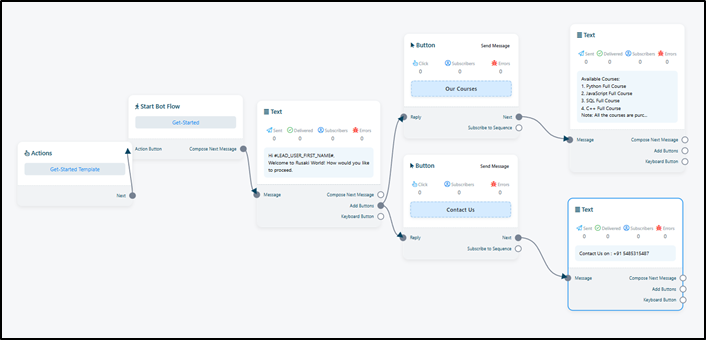
- In the BotBee dashboard, navigate to Bot Manager under Telegram.
- Click on Quick Actions and click Get Started.
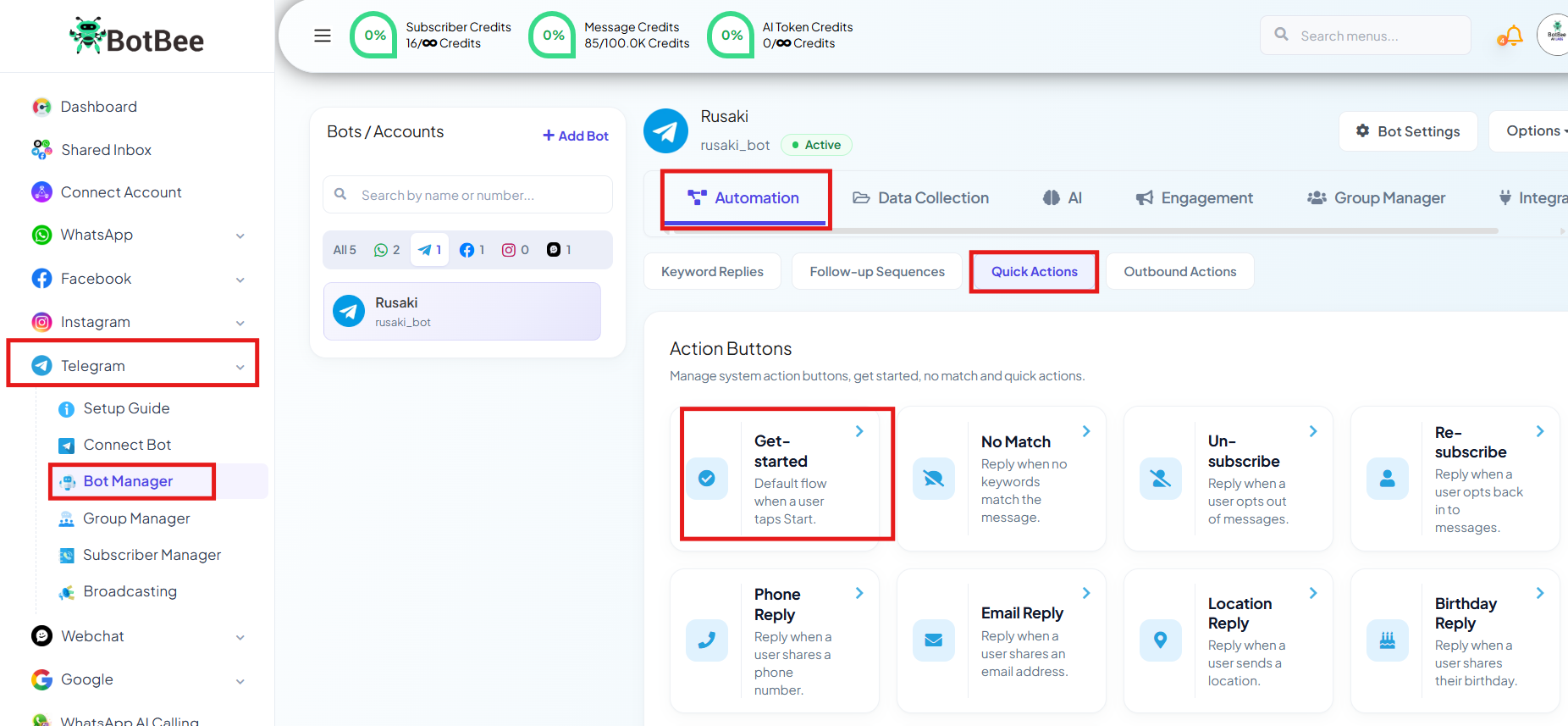
- This will open BotBee’s Visual Flow Builder, where you can create automated replies.
- Using the drag-and-drop editor, you can design how your bot interacts with users.
- You can add different elements such as: Text, Images, Buttons, Multiple reply sequences
- These elements can be connected to create a structured chatbot conversation flow.
- Once your chatbot flow is ready, click Save to apply the changes.
Step 6: Test the Telegram Bot:
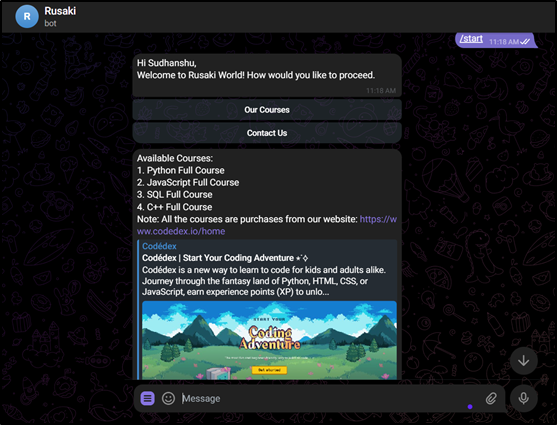
- After setting up the bot flow, you should test whether everything is working correctly.
- Open your Telegram bot.
- Click the Start button.
- Your bot will immediately send the automated response you configured.
- If the message appears correctly, your Telegram bot is successfully connected and working.
Connecting Telegram to BotBee is a simple process that involves creating a bot through BotFather, linking it with BotBee using the API token, and configuring automated responses using the visual flow builder. Once set up, you can start automating conversations, engaging users, and managing your Telegram audience more efficiently.
Reference Video:
If you prefer video tutorials here are the links:
English: https://youtu.be/Fyb9VsIZ14w?si=k_BwhApMVYzeADCg
Still Need Help?
If you face difficulties during onboarding:
- Take a screenshot or screen recording.
- Share details with our support team.
Our team will review the onboarding step and guide you further.
Contact: 08069645300
Found this article helpful?
( 3 Out of 6 Found Helpful )