Creating a Sequence Message in Telegram
Sequence messaging is a powerful automation feature in BotBee that allows you to send a series of messages to users automatically after they interact with your bot. This is useful for onboarding new users, delivering tutorials, promoting offers, or nurturing leads over time.
In this guide, we’ll walk through the step-by-step process of creating a sequence message for your Telegram bot using BotBee.
Step 1: Access the Bot Manager:
- Log in to your BotBee Dashboard.
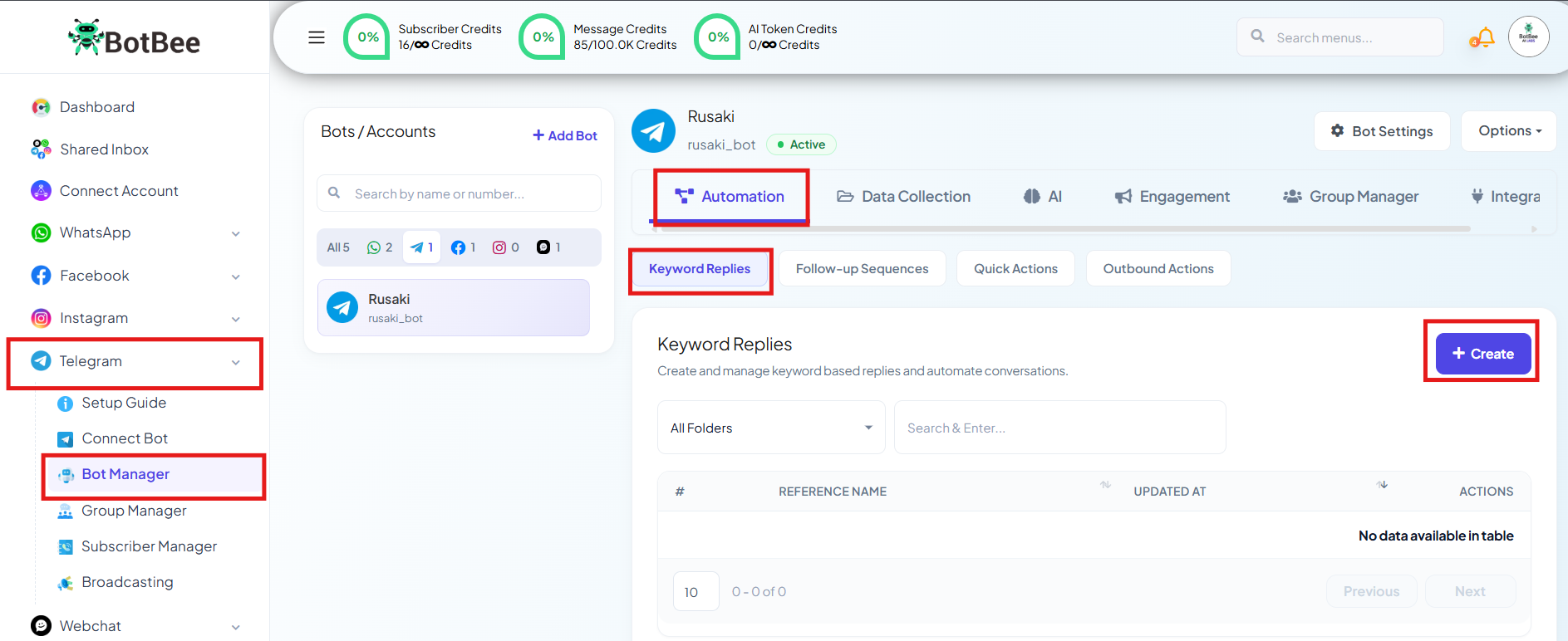
- From the left-hand sidebar, navigate to Bot Manager under Telegram.
- Select the Telegram bot you previously connected.
- Click on Keyword Replies under Automation Section.
- Press the Create button to open the Visual Flow Builder.
The Visual Flow Builder is where you design automated conversations and message flows for your Telegram bot.
Step 2: Add Trigger Words and Bot Title:
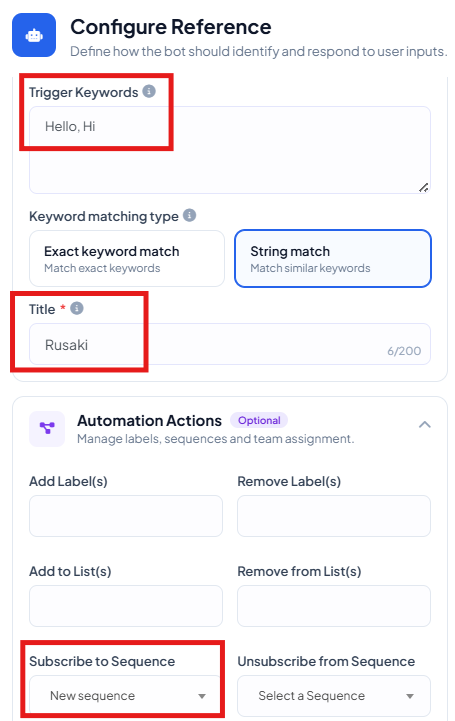
- Double click on Start bot flow.
- Enter a title for your bot flow
- Add trigger words that will start the bot
- Click on Subscribe to a sequence dropdown and Select New Sequence.
Step 3: Create a Sequence Campaign:
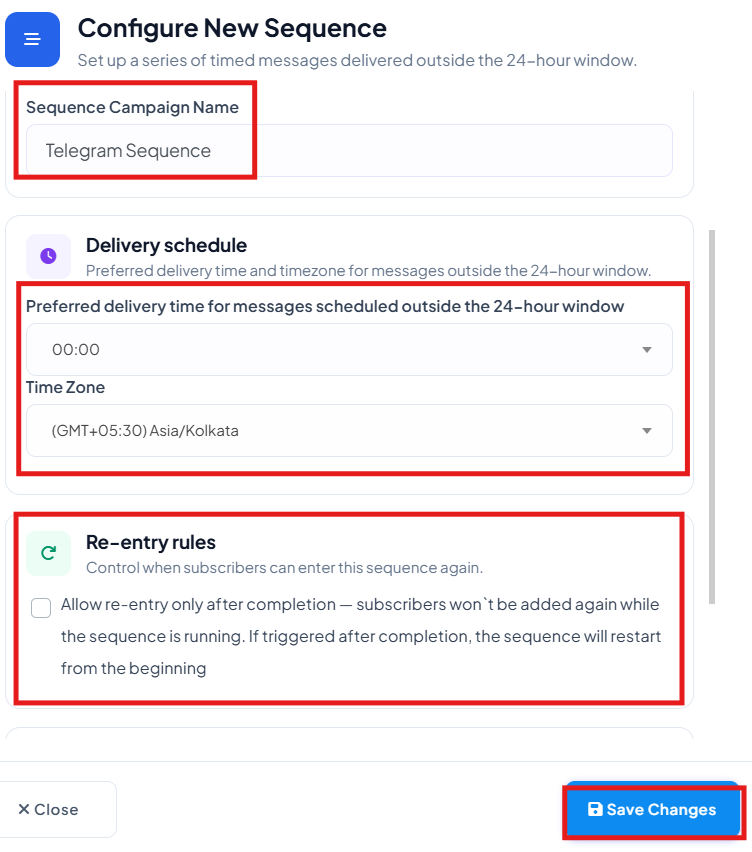
- Click on Create Sequence Campaign
- Enter a Sequence Campaign Name
- Select the correct Time Zone
- Re-entry rules: Using this you control when subscribers can enter this sequence again. Subscribers won't be added again while the sequence is running. If triggered after completion, the sequence will restart from the beginning
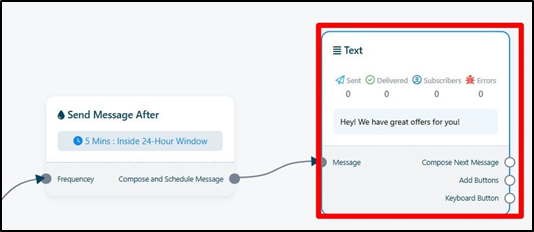
- Write Down the message that you want to send as a follow up message.
Step 4: Save and Test the Flow:
- Once the setup is complete:
- Click Save to activate the bot flow.
- When a user reaches that flow or clicks the designated button, the sequence campaign automatically starts.
Monitor Sequence Performance:
To track how your automation is performing:
- Go back to the Bot Manager under Telegram.
- Go to Follow up sequences under Automation Section.
- Click on the Report icon.
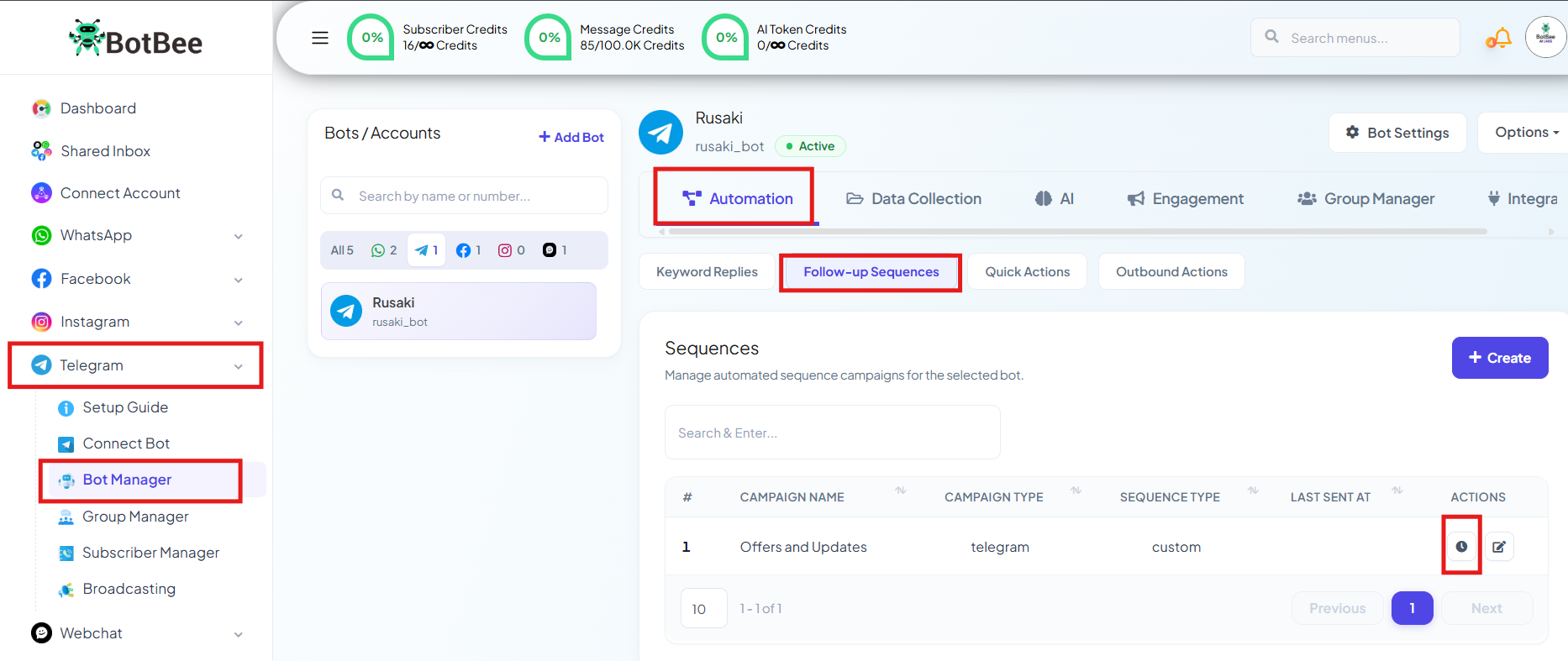
Here you can view analytics such as:
- Message delivery statistics
- User engagement
- Performance of your sequence campaigns
Important points:
You can even add it after buttons also so the customer after clicking a particular button will be subscribed to sequence.
Tip:
Use sequences strategically. Instead of sending too many promotional messages, mix them with helpful content, updates, and tips to keep users engaged.
Reference Video:
If you prefer video tutorials here are the links:
English: https://youtu.be/DXT6foUciQ0
Still Need Help?
If you face difficulties during onboarding:
- Take a screenshot or screen recording.
- Share details with our support team.
Our team will review the onboarding step and guide you further.
Contact: 08069645300
Found this article helpful?
( 3 Out of 6 Found Helpful )