Setting up Instagram Essentials
Instagram automation is no longer just a “nice-to-have”—it’s essential if you want to capture attention, respond instantly, and guide users smoothly through conversations. With BotBee, you can do exactly that using these powerful features.
Let’s walk through how you can set these up and start creating smarter, more engaging conversations.
1. Instagram Ice Breaker:
An Ice Breaker is the first thing users see when they open your Instagram chat. It presents predefined questions that encourage users to interact instantly.
- Head over to your BotBee dashboard.
- From the left-side menu, go to the Instagram section and select Bot Manager.
- Click on Get Started Settings under Engagement Section to begin configuring your Ice Breaker.
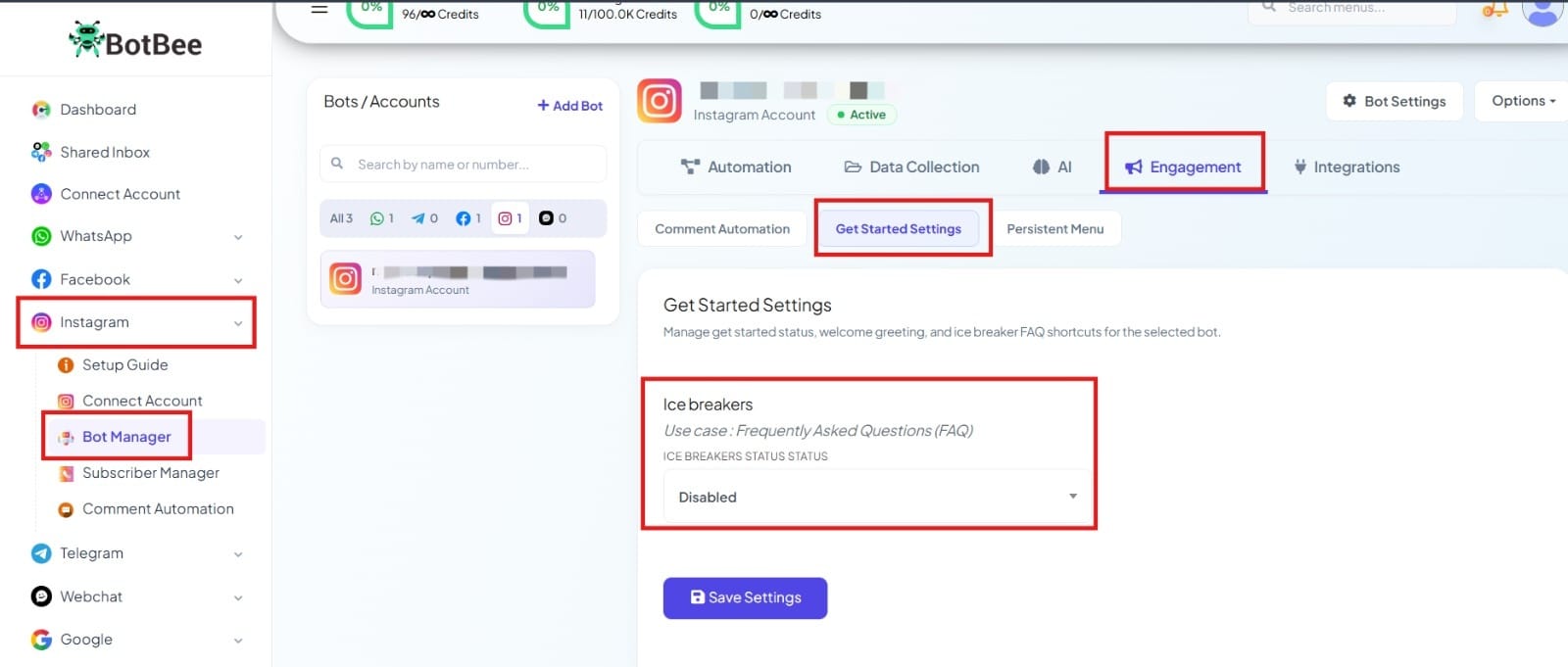
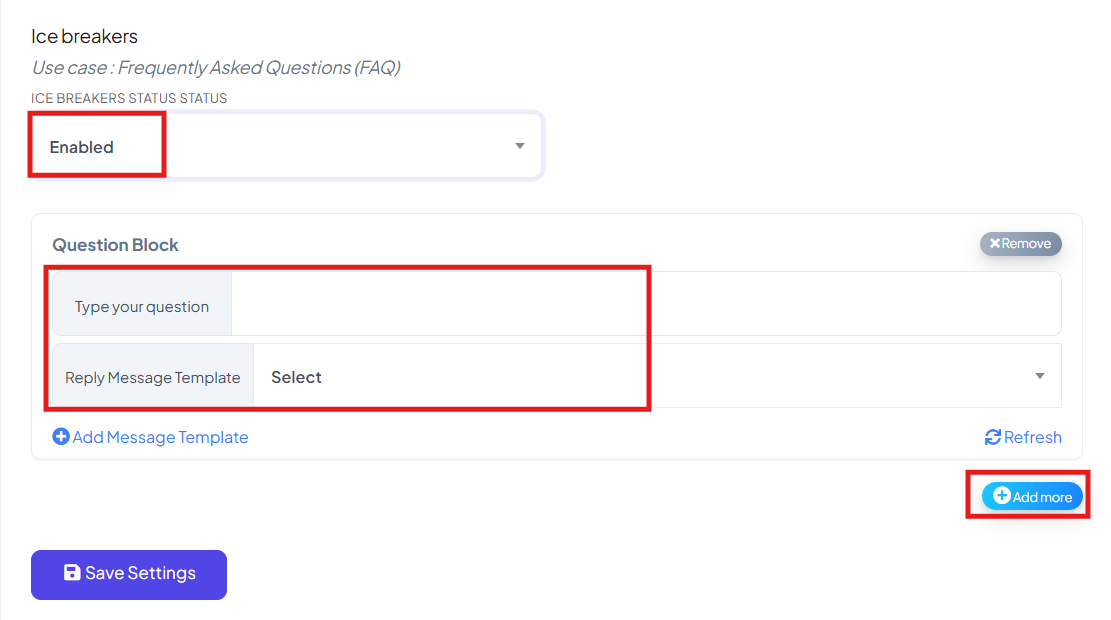
- Enable the Ice Breaker Status option.
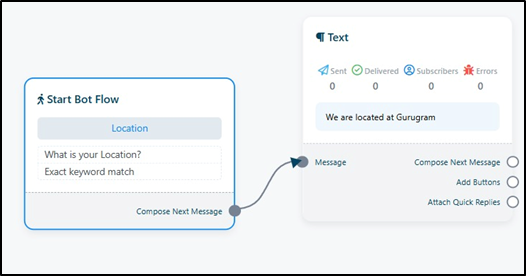
- Enter the questions you want users to choose from. For each question, select a corresponding reply bot.
- If you don’t have a bot ready, create one first, by clicking on “Add Message Template” then refresh the page and select it.
- Click Save Settings to finalize your setup.
Now, whenever a user opens your Instagram chat, they’ll instantly see clickable questions making it easier and faster for them to start a conversation.
2. Creating Persistent Menu:
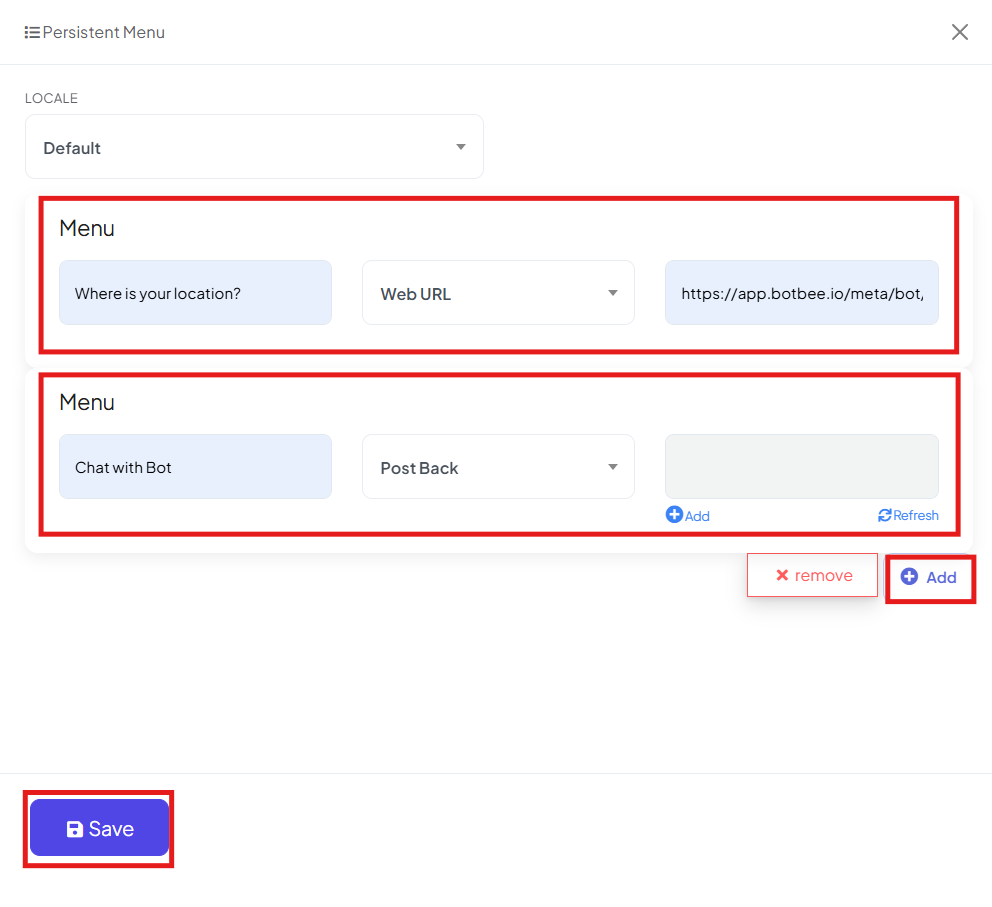
A Persistent Menu acts like a navigation bar inside your chat. It allows users to explore options anytime without typing anything.
- In the Bot Manager under Instagram section
- Find the Persistent Menu option in Engagement Section.
- Click on the Create button.
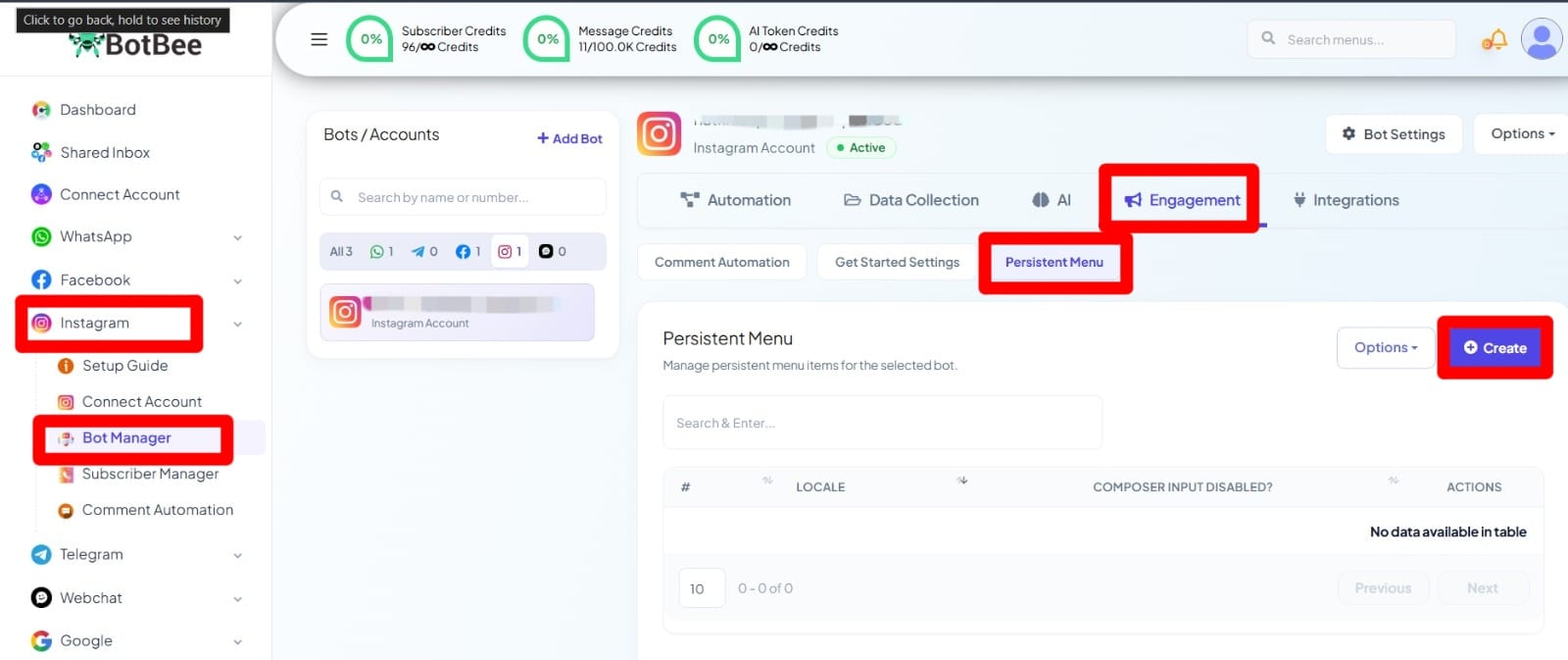
Add Menu Items:
- Postback: Link to existing or new bot responses.
- Web URL: Redirect users directly to your website.
- Click Save and Then select Publish Persistent Menu.
3. Setting up Story Mention Automation:
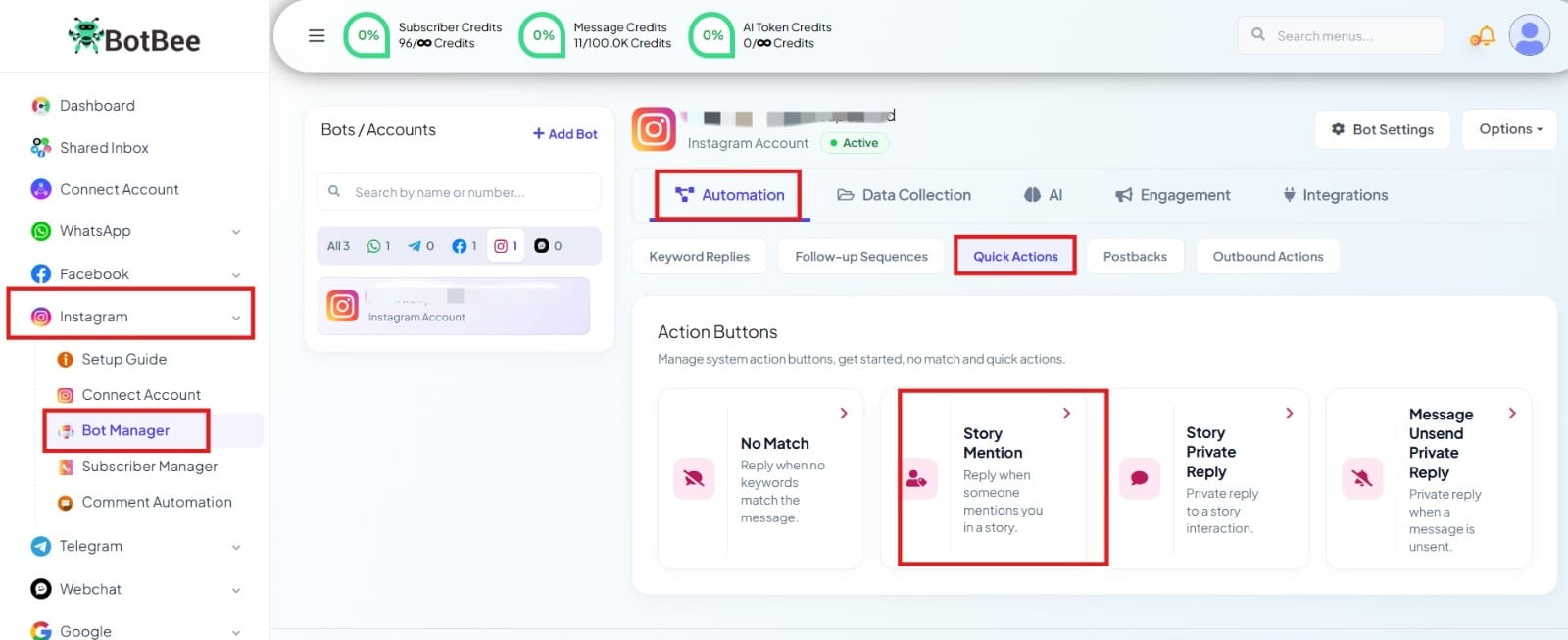
- Go to Bot Manager under the Instagram section.
- Click on Quick Actions under Automation Section.
- Select Story Mention.
- Edit the bot flow according to your needs (message, response, automation, etc.).
- Click Save to activate it.
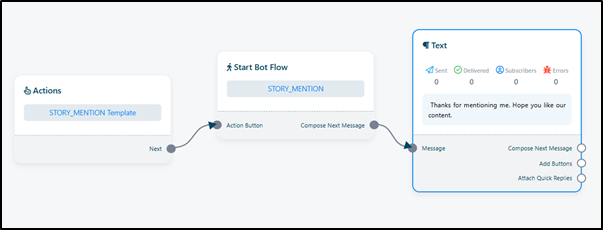
From now on, whenever someone mentions your account in their Instagram story, they will automatically receive your predefined message helping you engage instantly and build stronger connections.
4. Setting Up Story Private Reply:
The Story Private Reply feature allows you to automatically send a direct message to users who reply to your Instagram stories. This helps you instantly engage with interested users and continue the conversation in DMs.
- Go to Bot Manager under the Instagram section.
- Click on Quick Actions under Automation Section.
- Select Story Private Reply.
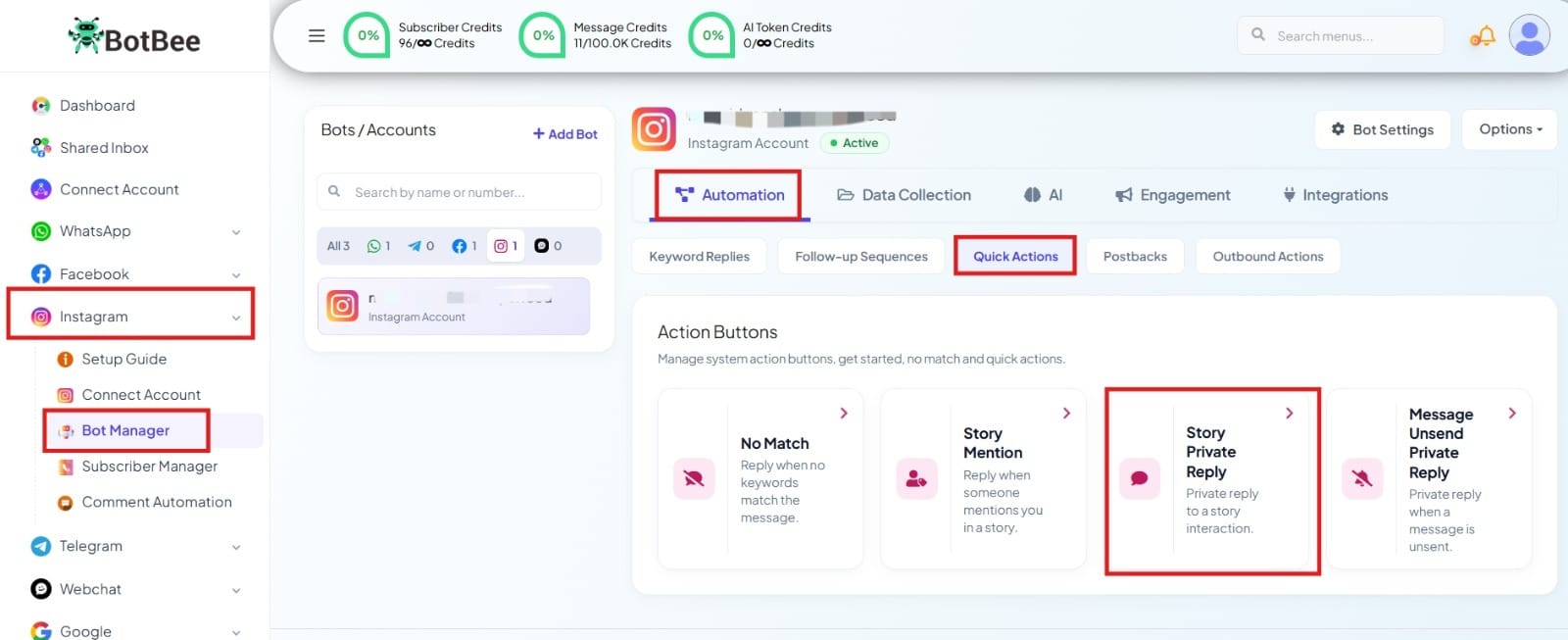
- Edit the bot flow according to your needs (set up the message, automation flow, etc.).
- Click Save to activate it.
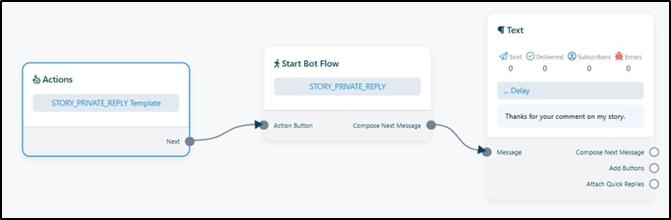
Now, whenever someone replies to your Instagram story, they will automatically receive your predefined message in their DMs helping you respond instantly and convert engagement into meaningful conversations.
5. Setting Up Message Unsend Private Reply:
The Message Unsend Private Reply feature allows you to automatically respond when a user deletes (unsends) a message in your Instagram chat. This helps maintain transparency and reassures users about how their data is handled.
- Go to Bot Manager under the Instagram section.
- Click on Quick Actions under Automation Section.
- Select Message Unsend Private Reply.
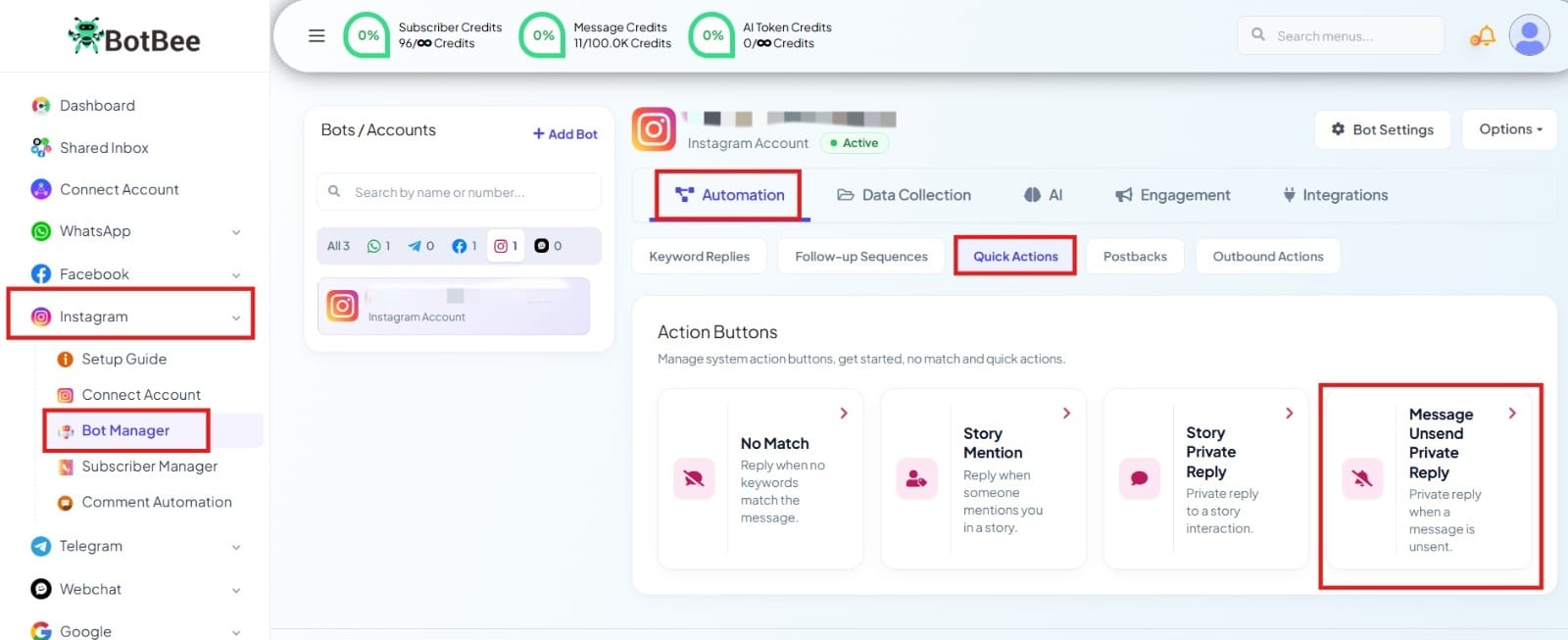
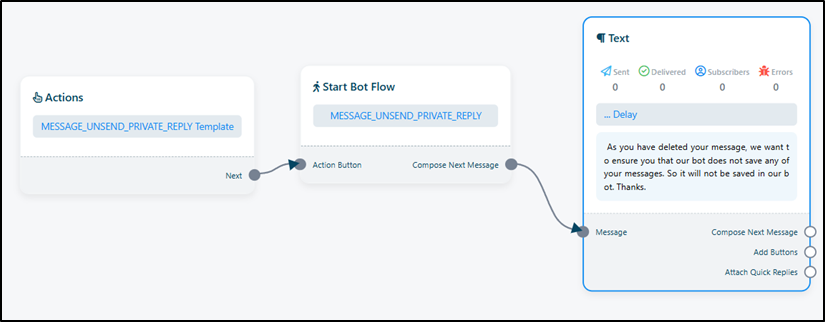
- Edit the bot flow according to your needs (you can customize the message, add conditions, or create a full flow).
- Click Save to activate it.
Now, whenever a user unsends a message in your Instagram chat, they will automatically receive your predefined response—helping you build trust and keep communication clear.
BotBee’s Instagram automation features help you create faster, smarter, and more engaging conversations. From Ice Breakers and Persistent Menus to Story and Message-based replies, every interaction is handled instantly and efficiently.
In short, it keeps you responsive 24/7 while delivering a smooth and professional user experience all without manual effort.
Reference Video:
If you prefer video tutorials here are the links:
English: https://youtu.be/5KEjXjIRv1M?si=PMXSMAXDkt3g-Xbx
Still Need Help?
If you face difficulties during onboarding:
- Take a screenshot or screen recording.
- Share details with our support team.
Our team will review the onboarding step and guide you further.
Contact: 08069645300
Found this article helpful?
( 4 Out of 15 Found Helpful )