Sending WhatsApp Messages to Facebook Messenger Subscribers
Connecting Facebook Messenger with WhatsApp allows you to capture leads on Messenger and instantly continue the conversation on WhatsApp. With BotBee, this process becomes fully automated helping you improve engagement, response rates, and conversions.
Follow the steps below to set up this integration.
Step 1: Collect Phone Numbers (Messenger):
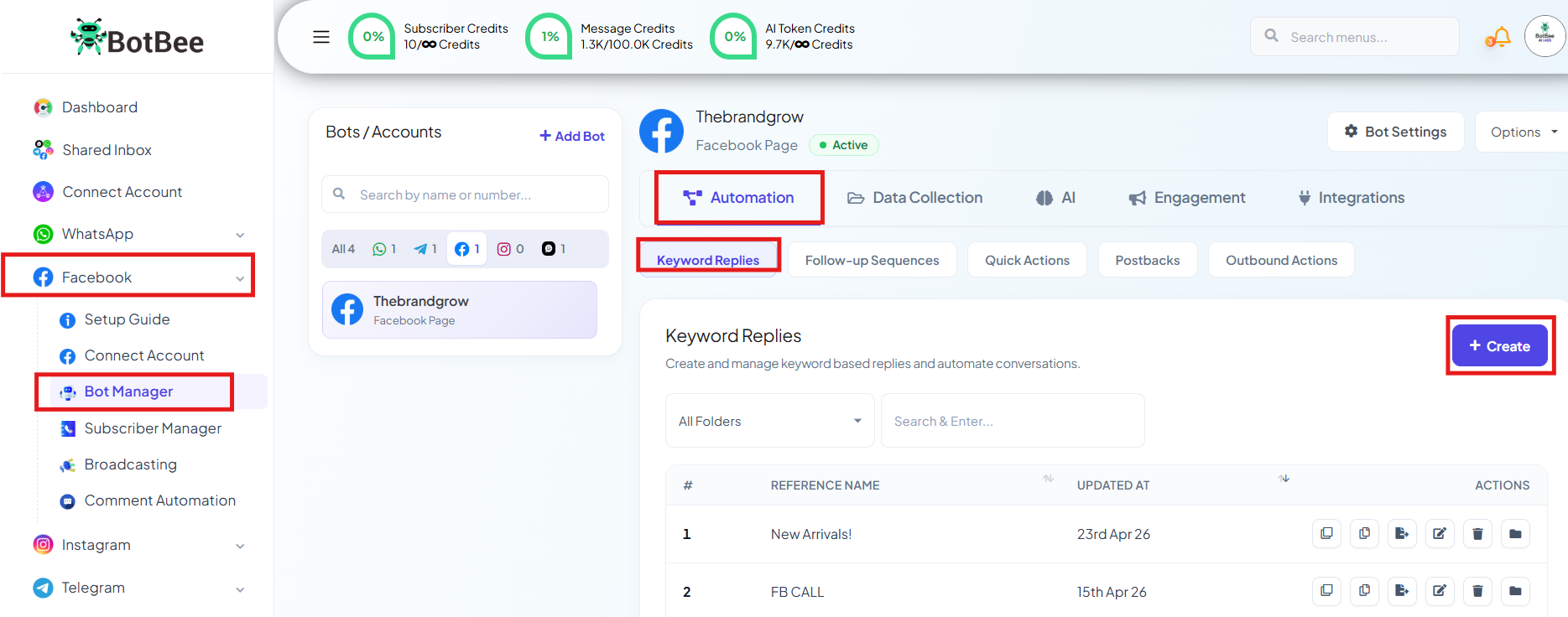
- Go to BotBee Dashboard → Bot Manager under Facebook.
- Go to Keyword Replies under Automation → Click Create.
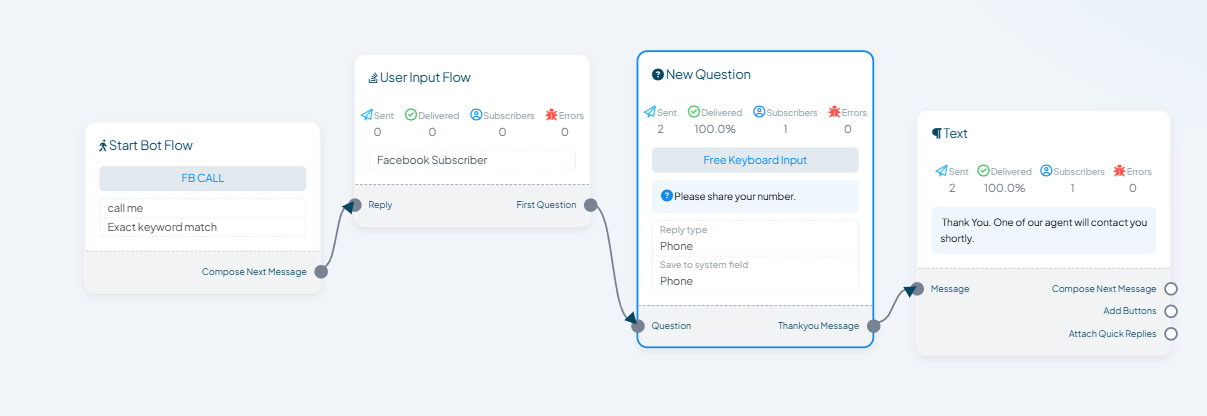
- Create a Simple Flow also Add User Input Flow asking users for their phone number using.
- Reply type: Phone
- System Field: Phone
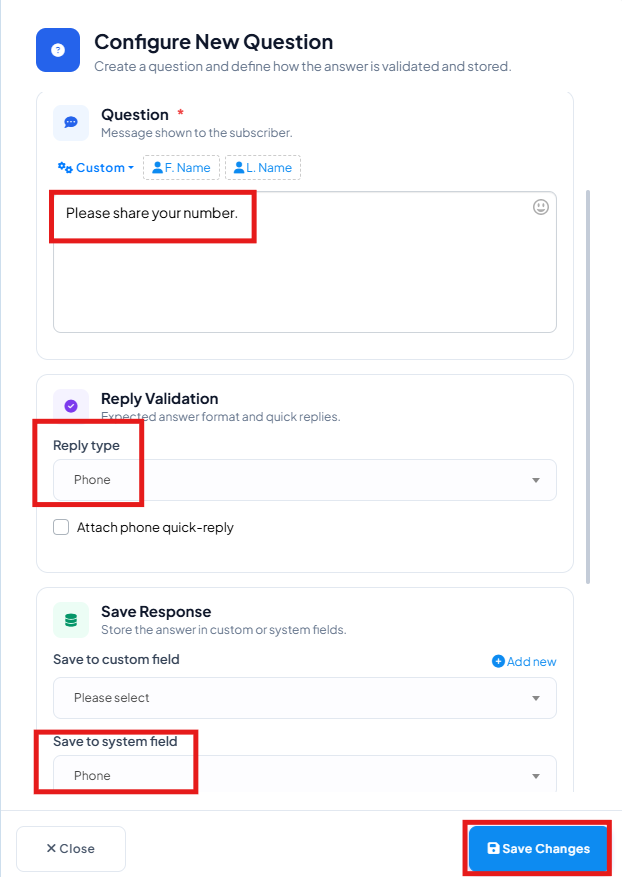
- Ensure the data is saved correctly.
Step 2: Create WhatsApp Template:
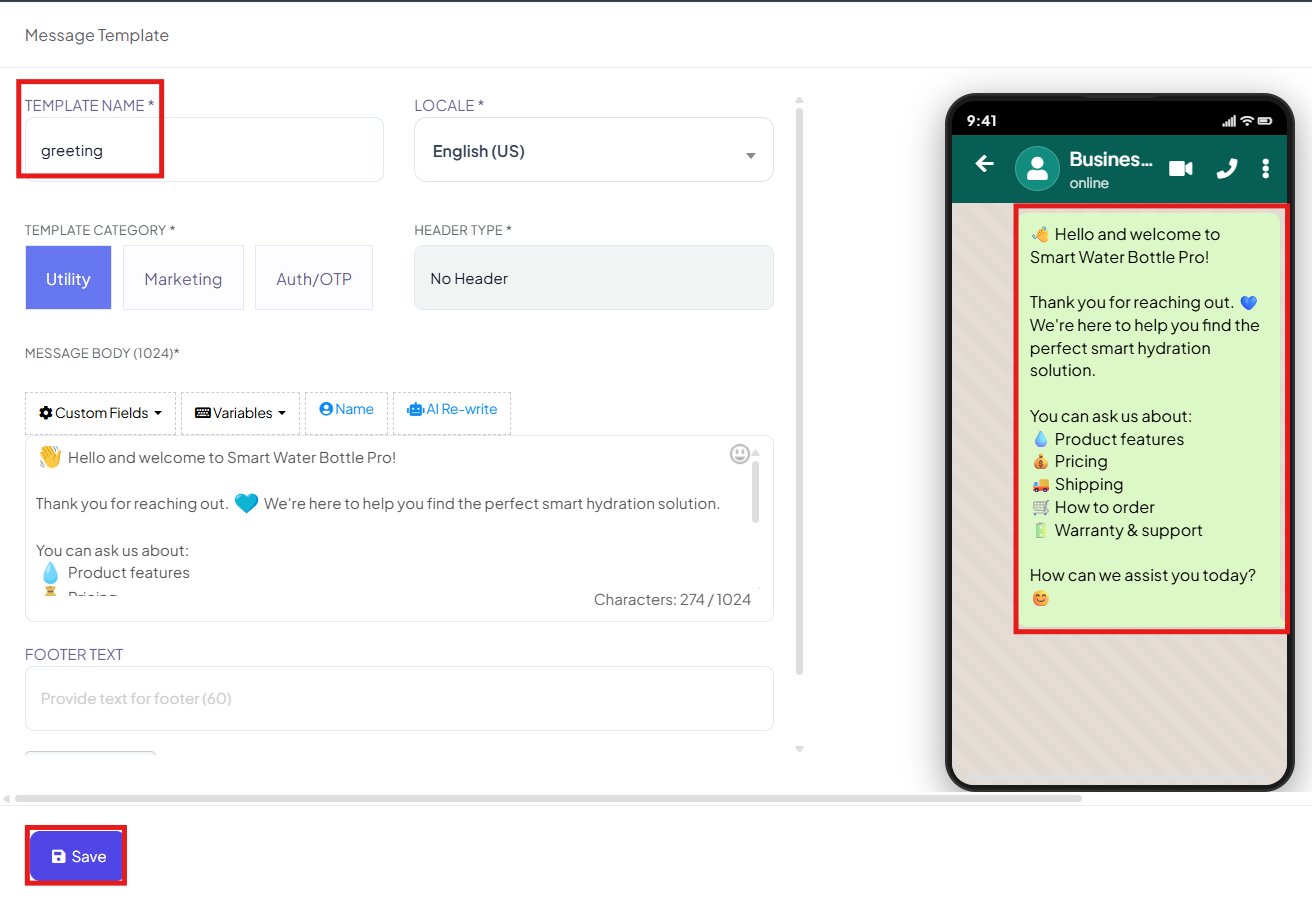
- Navigate to Message Template Under Automation section in the Bot Manager (WhatsApp).
- Click Create → Mixed Template
- Add template name and message content
- Get it Approved.
Step 3: Set Up Webhook Workflow:
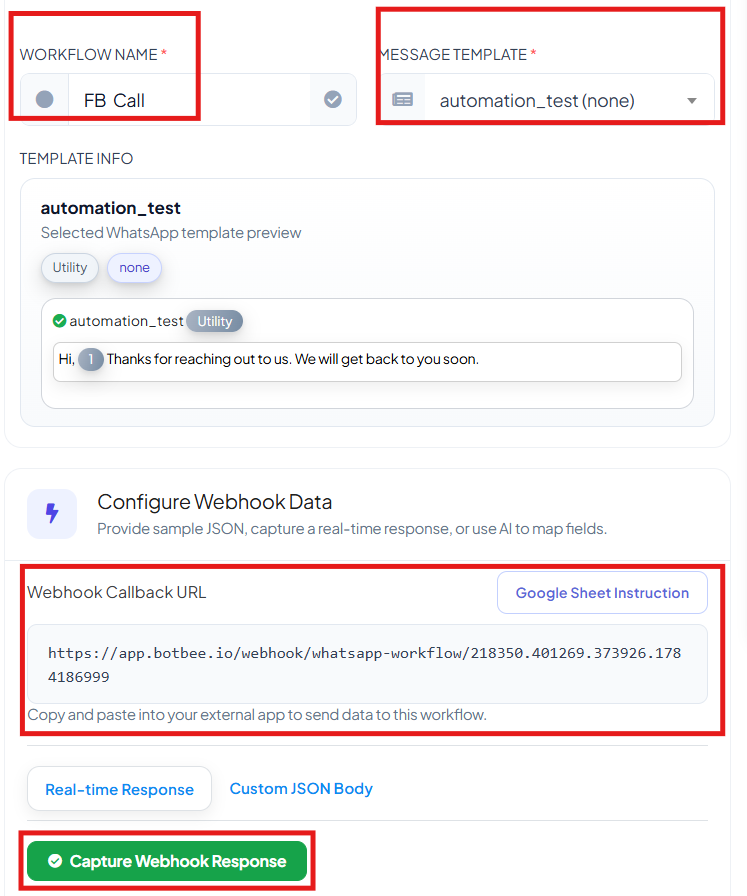
- Go to Webhook Workflow under Automation section in bot manager → Create.
- Give a Workflow name Select the Approved template.
- Click Create Workflow.
- Copy the generated Webhook URL.
Step 4: Connect JSON API:
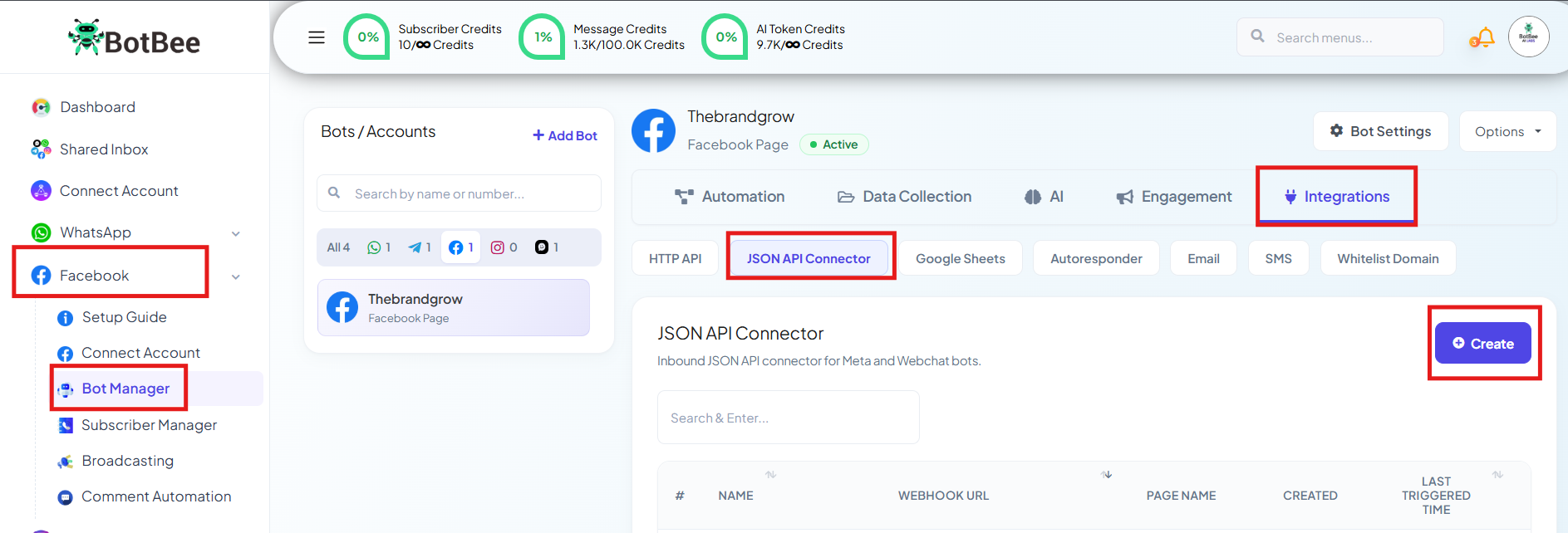
- Go to Bot Manager under Facebook.
- Under Integration Section, Go to JSON API Connector
- Click Create.
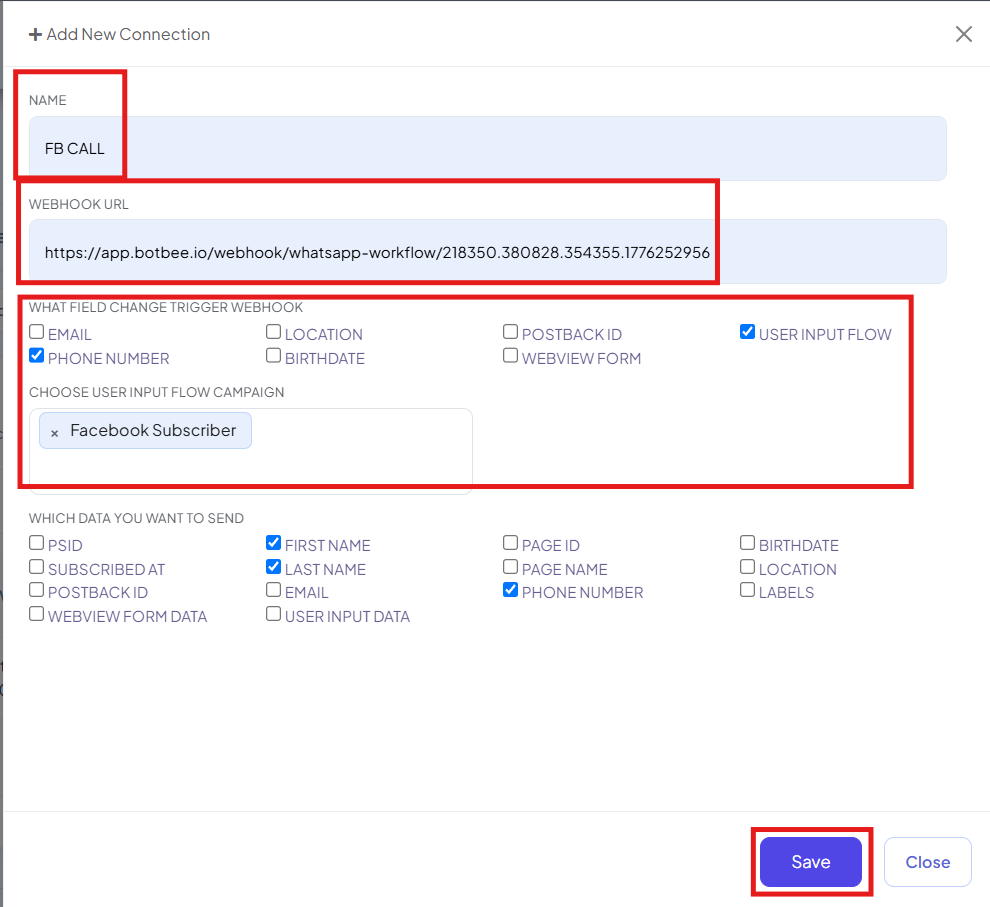
- Give a Connecter Name.
- Paste the Webhook URL
- What field change Trigger Webhook: Select Phone Number.
- Select the User Input Flow we created in Step 1.
- Which data you want to send: Select First name, Last Name and Phone Number.
Step 5: Capture & Map Data:
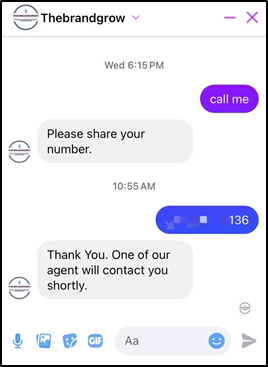
- Test by entering sample data in Messenger.
- Go back to Webhook Workflow.
- Click Capture Webhook Response. You will see the Raw Data.
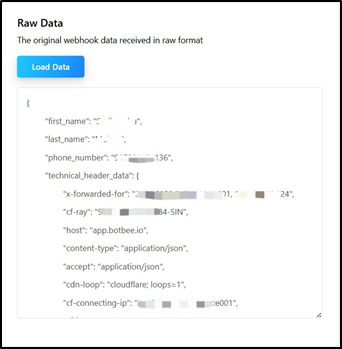
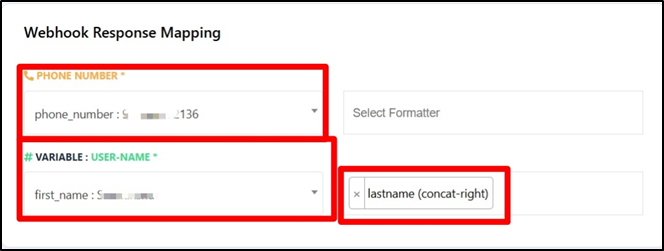
Map required fields:
- Phone number: phone_number
- Username: First name
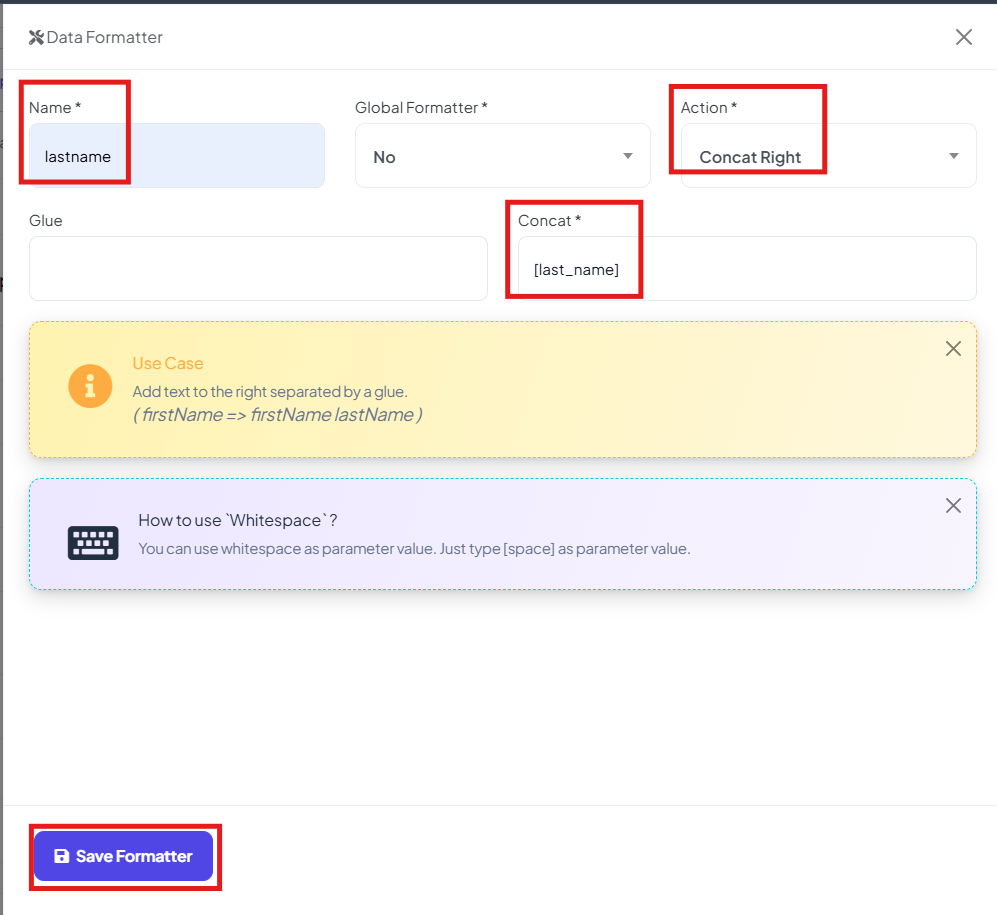
Use Concat formatter to combine: First Name + Last Name.
- Give your Formatter a name.
- Global Formatter: No
- Action: Concat Right
- Glue: [Space]
- Concat: [last_name]
- Save the formatter.
- After Mapping save the workflow.
Step 6: Test the Setup:
- Enter a phone number through the Messenger bot.
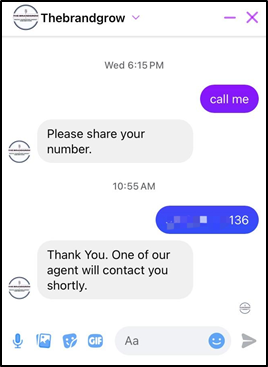
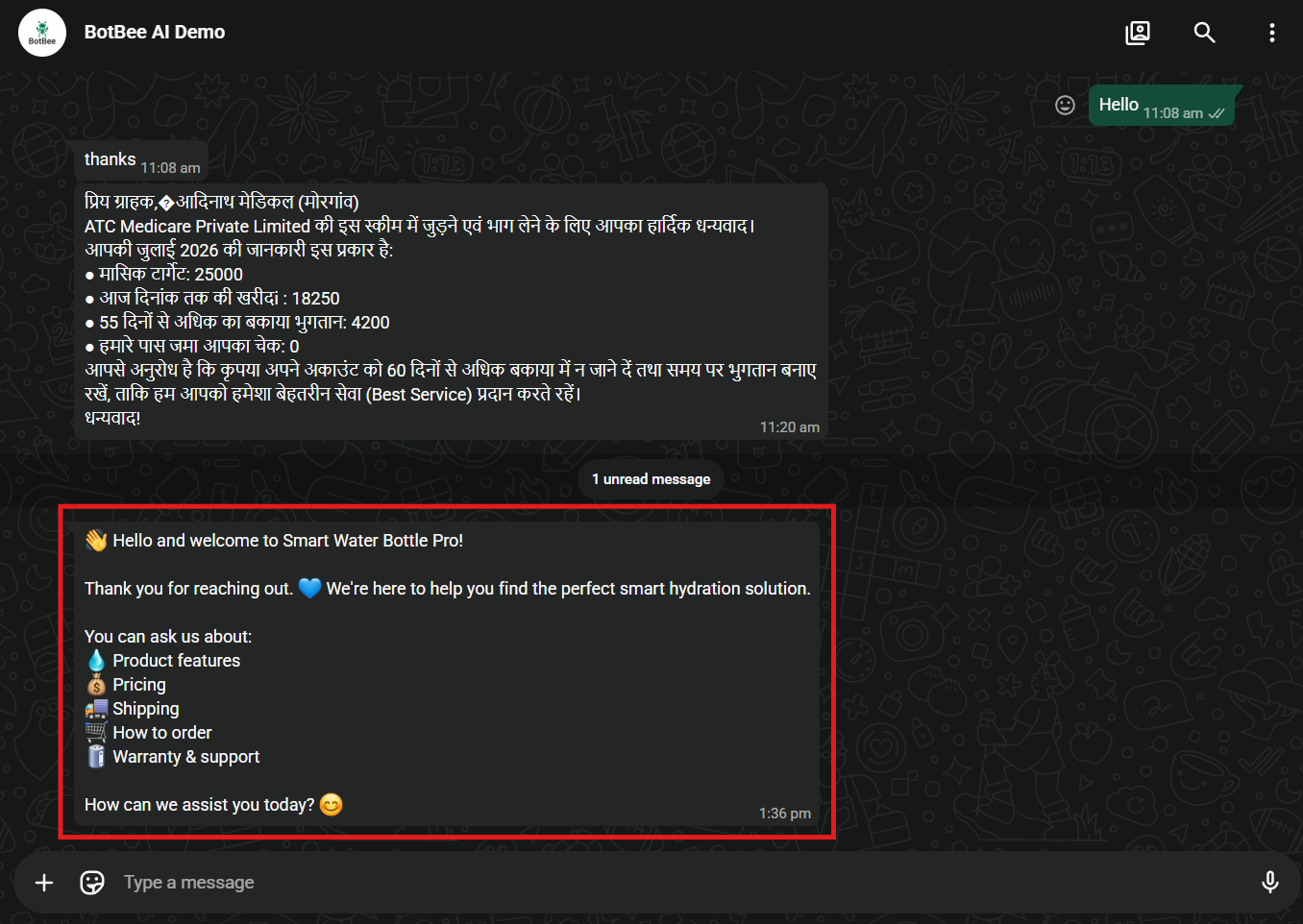
- Message should be triggered automatically.
Conclusion
By integrating Facebook Messenger with WhatsApp using BotBee, you create a seamless communication flow that moves users from one platform to another effortlessly. This not only improves user experience but also helps you build a stronger, more direct connection with your audience leading to higher engagement and better conversion rates.
Reference Video:
If you prefer video tutorials here are the links:
English: https://youtu.be/WIHRcbYSzkg?si=EgcKiqBljOf3BffD
Still Need Help?
If you face difficulties during onboarding:
- Take a screenshot or screen recording.
- Share details with our support team.
Our team will review the onboarding step and guide you further.
Contact: 08069645300
Found this article helpful?
( 3 Out of 6 Found Helpful )