How to Integrate WooCommerce with BotBee
Integrating your WooCommerce store with BotBee allows you to automate communication with your customers. Once connected, you can send WhatsApp notifications for order confirmations, cash-on-delivery (COD) verification, order updates, and more.
Follow the steps below to connect your WooCommerce store with BotBee.
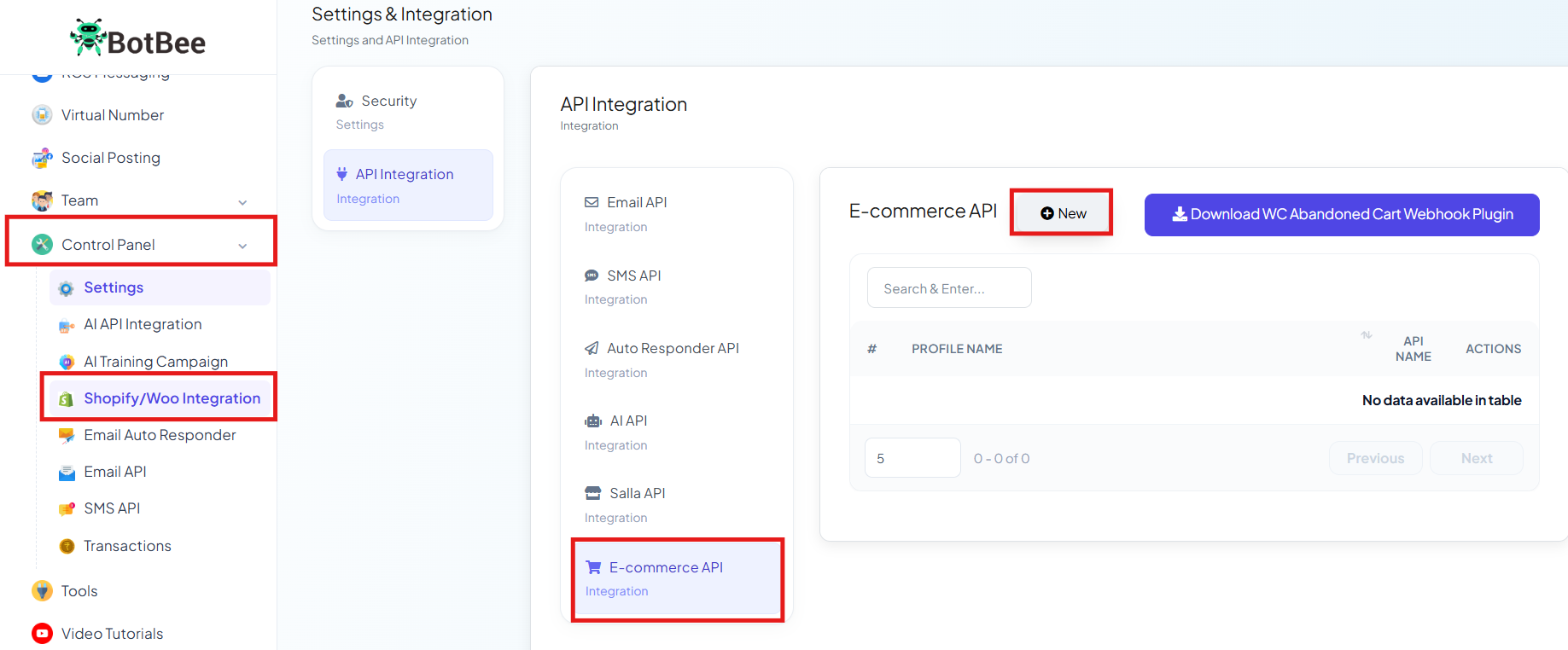
Step 1: Navigate to Control Panel:
- Log in to your BotBee dashboard.
- From the left sidebar, click on Control Panel.
- Go to Shopify/WooCommerce Integration.
- Click to E-Commerce API.
- Click the + New button.
Step 2: Enter Store Details:
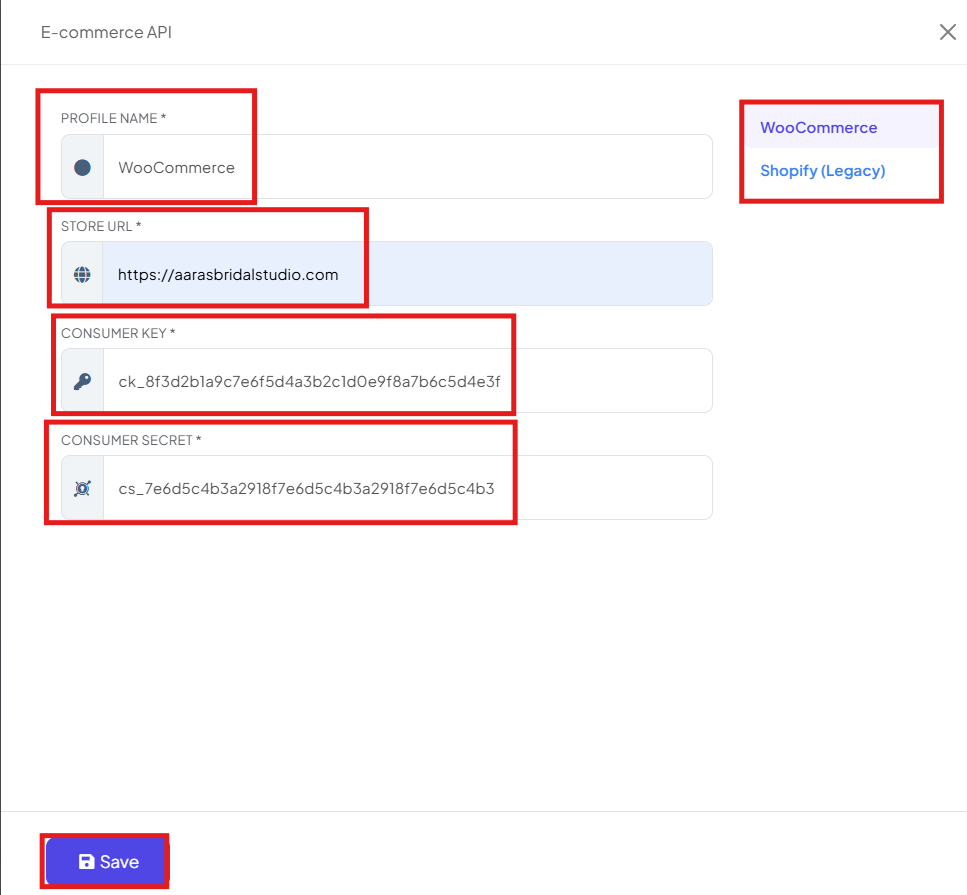
- From the list of platforms, choose WooCommerce.
- Now you need to add your store details so BotBee can identify and connect to it.
- Profile Name: Enter a name for this integration. This is just for your reference, so you can easily recognize the store later.
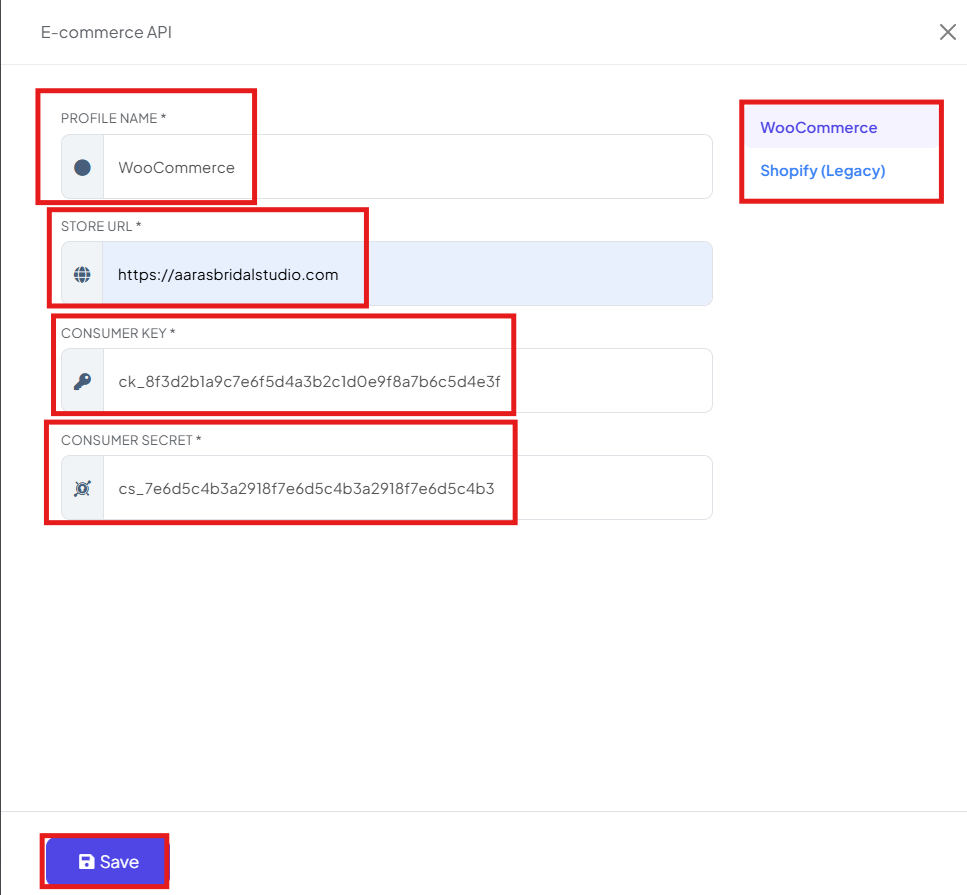
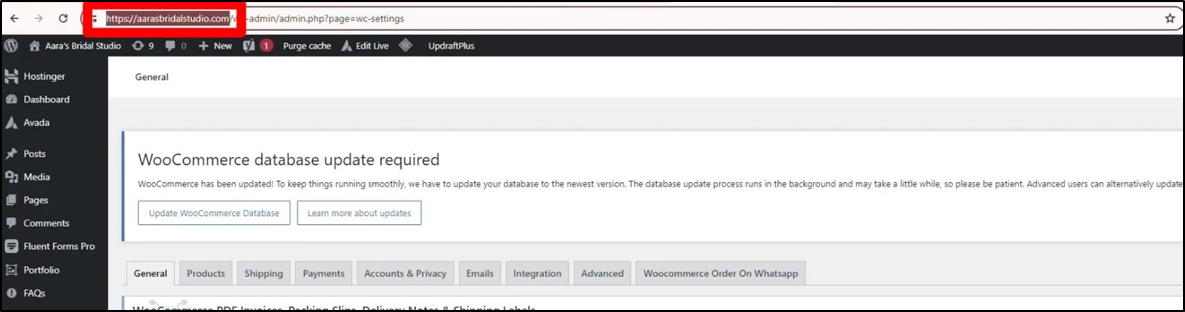
- Store URL: Copy the base URL of your WordPress website and paste it into the Store URL field Make sure you only paste the main website URL and not any specific page link.
Step 3: Generate API Keys in WooCommerce:
To allow BotBee to communicate with your WooCommerce store, you need to generate REST API keys in WordPress.
Follow these steps:
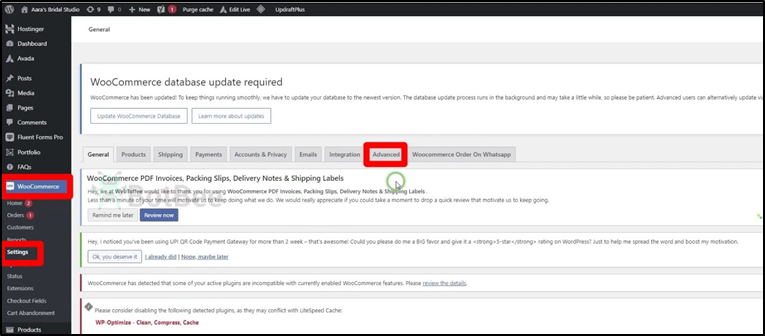
- Log in to your WordPress Admin Dashboard.
- Go to WooCommerce → Settings.
- Click on the Advanced tab at the top.
- Select REST API.
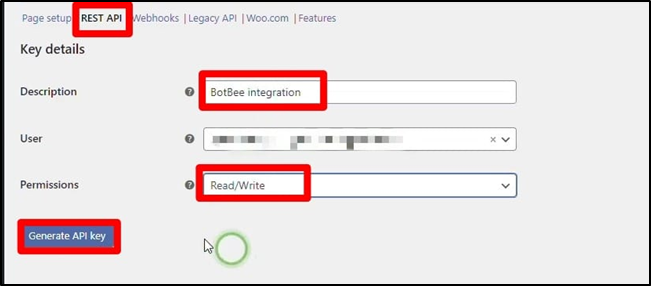
- Click the Add Key button.
Now fill in the required details:
- Description: Enter a name for the API key.
- Permissions: From the dropdown menu, select Read/Write so BotBee can both read store data and send updates.
- After entering these details, click Generate API Key.
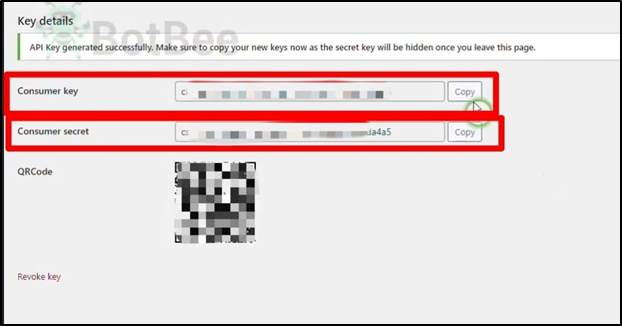
- WooCommerce will now create two important keys.
Step 4: Finalize the Connection:
- Once the API keys are generated, return to BotBee and complete the setup.
- Copy the Consumer Key from WordPress and paste it into the Consumer Key field in BotBee.
- Copy the Consumer Secret and paste it into the Consumer Secret field.
- Click the Save button.
- Your WooCommerce store is now successfully connected to BotBee.
What You Can Do After Integration:
After connecting WooCommerce with BotBee, you can automate several customer communications, such as:
- Order confirmation messages
- Cash on Delivery (COD) verification messages
- Order status updates
- Shipping notifications
- Customer engagement via WhatsApp automation
This integration helps streamline your store communication and improves the overall customer experience.
Reference Video:
If you prefer video tutorials here are the links:
English: https://youtu.be/SK_FI7gbEY0?si=uyg4H4XaTgo5nPNL
Still Need Help?
If you face difficulties during onboarding:
- Take a screenshot or screen recording.
- Share details with our support team.
Our team will review the onboarding step and guide you further.
Contact: 08069645300
Found this article helpful?
( 4 Out of 8 Found Helpful )