Sending RCN Broadcasts on Facebook Using BotBee
Reaching your audience consistently on Facebook Messenger can feel like a challenge especially with platform limitations on standard broadcasts. That’s where Recurring Notification (RCN) messages come in.
With BotBee, you can set up an opt-in system that allows users to voluntarily subscribe to your updates and once they do, you can message them directly without worrying about traditional restrictions.
Let’s break it down step by step.
Step 1: Set Up the Opt-in Flow:
Before you send any broadcast, you need user permission. This is not optional, it’s the backbone of RCN messaging.
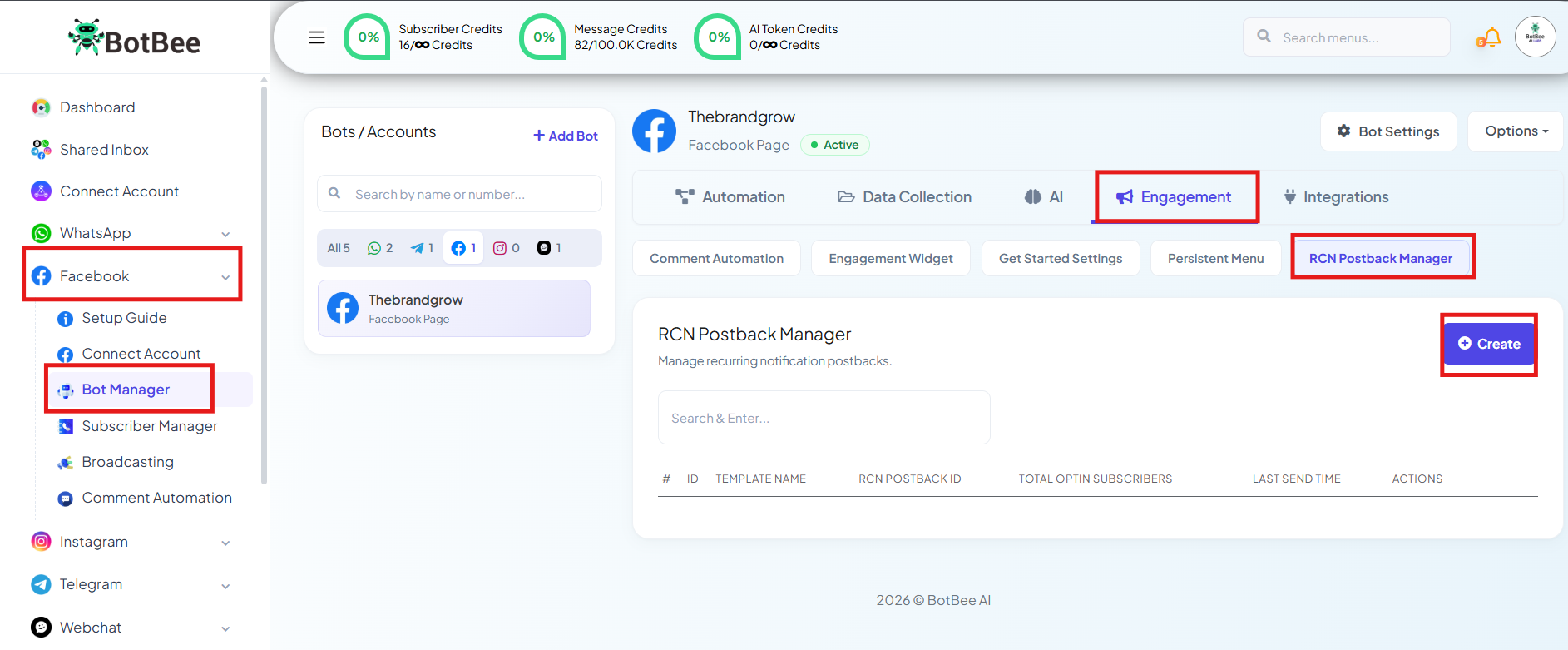
- Go to Bot Manager under Facebook and selecting your Facebook Bot.
- Go to RCN Postback Manager under Engagement Section
- Click on Create.
- Set a trigger keyword like “Hi” or “Hello”
- Add a scroll-stopping message.
- Next, guide the user with buttons:
- Example: “YES” (this is your opt-in trigger)
- Now connect that “YES” button to an RCN Block:
- Define a subscription topic (e.g., Shop Updates, Offers, Events)
- Assign labels to these users for future targeting.
- Finally, confirm their subscription with a simple message.
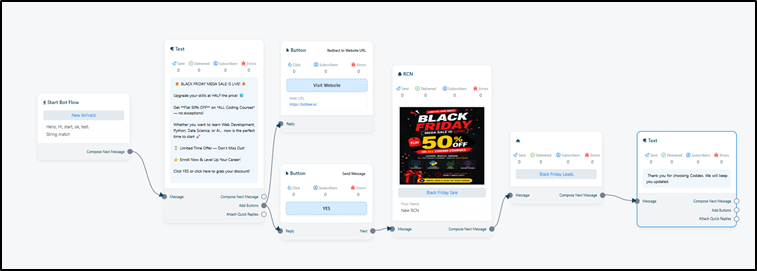
At this point, you’ve successfully built your subscriber base.
Step 2: Create the Broadcast Campaign:
- Once users are opted in, you can start sending broadcasts.
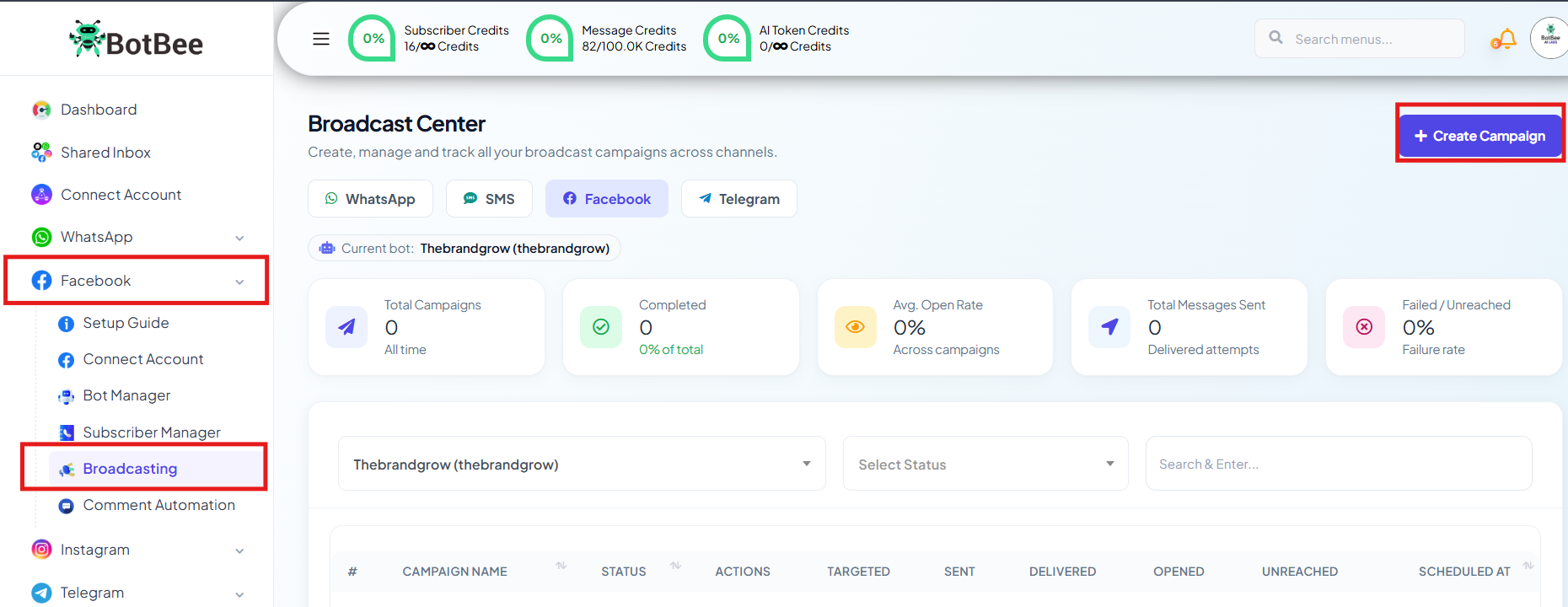
- Go to Broadcasting under Facebook → Create Campaign.
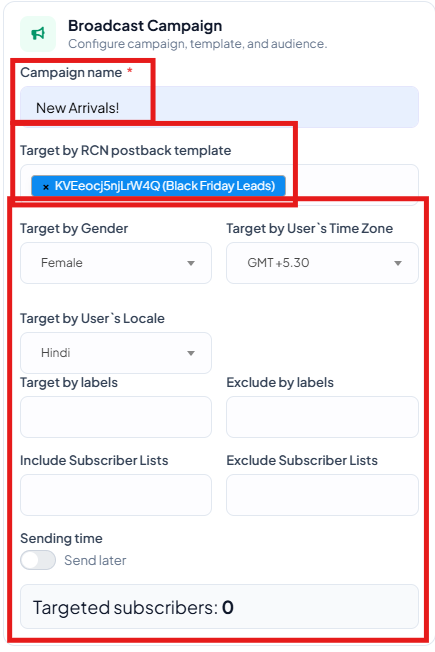
Here’s how to configure it:
- Set action to Broadcasting (for one-time RCN messages)
- Give your campaign a clear name
Targeting matters, BotBee allows you to filter your audience precisely:
- By labels you assigned earlier
- By gender or time zone
- This ensures your message reaches the right people, not just more people.
- Sending options: Send instantly Or schedule for peak engagement hours.
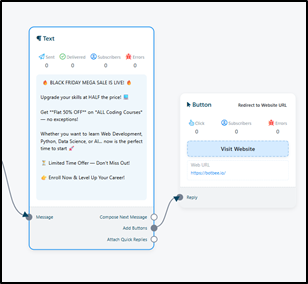
Craft your message
- Add a personalized greeting (use variables if available)
- Keep your message short and action-driven
- Include a strong CTA like: “Shop Now”, “Grab Offer”, or “Book Today”
Step 3: Track and Analyze Performance:
- Once your campaign goes live, the real game begins analyzing results.
- Head to the Broadcast Report section.
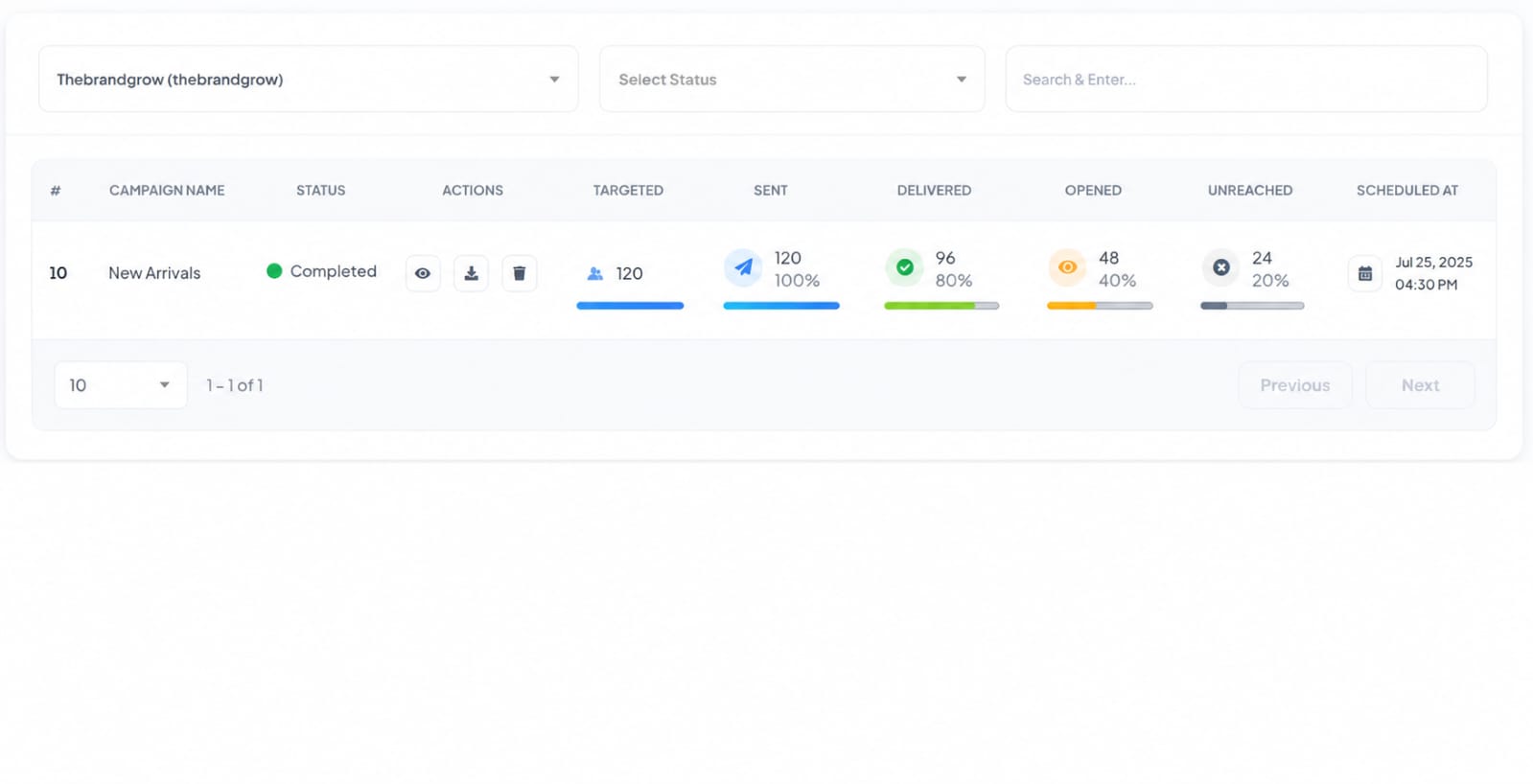
Key metrics to watch:
- Sent vs Delivered: Confirms whether Facebook successfully pushed your messages
- Click-through rate (CTR): Shows how many users actually engaged
- If clicks are low, your CTA or message might need tweaking.
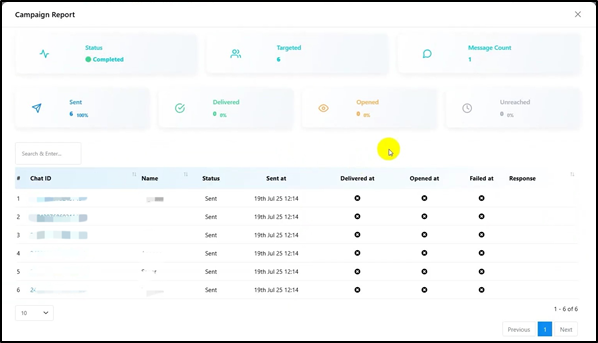
BotBee lets you:
- Track individual user activity
- Identify engaged vs inactive users
- See who opted out
This helps you refine your future campaigns and messaging style.
Why This Matters
RCN broadcasts are powerful because they’re:
- Permission-based (higher trust)
- Direct (no algorithm interference)
- Scalable (perfect for offers, updates, launches)
- Instead of chasing reach, you’re building a subscribed audience that actually wants to hear from you.
Final Thought
If you’re still relying only on traditional broadcasts, you’re leaving engagement on the table.
Set up your opt-in flow once, and you unlock a long-term channel to your audience’s Messenger inbox without limits.
Still Need Help?
If you face difficulties during onboarding:
- Take a screenshot or screen recording.
- Share details with our support team.
Our team will review the onboarding step and guide you further.
Contact: 08069645300
Found this article helpful?
( 3 Out of 6 Found Helpful )