How to Create a Catalog Chatbot
A catalog chatbot allows your customers to browse products directly inside WhatsApp without visiting an external website. With BotBee’s Visual Flow Builder, you can easily set up an interactive product catalog and automate product discovery.
Follow the steps below to create and test your WhatsApp catalog chatbot.
Step 1: Access the Visual Flow Builder:
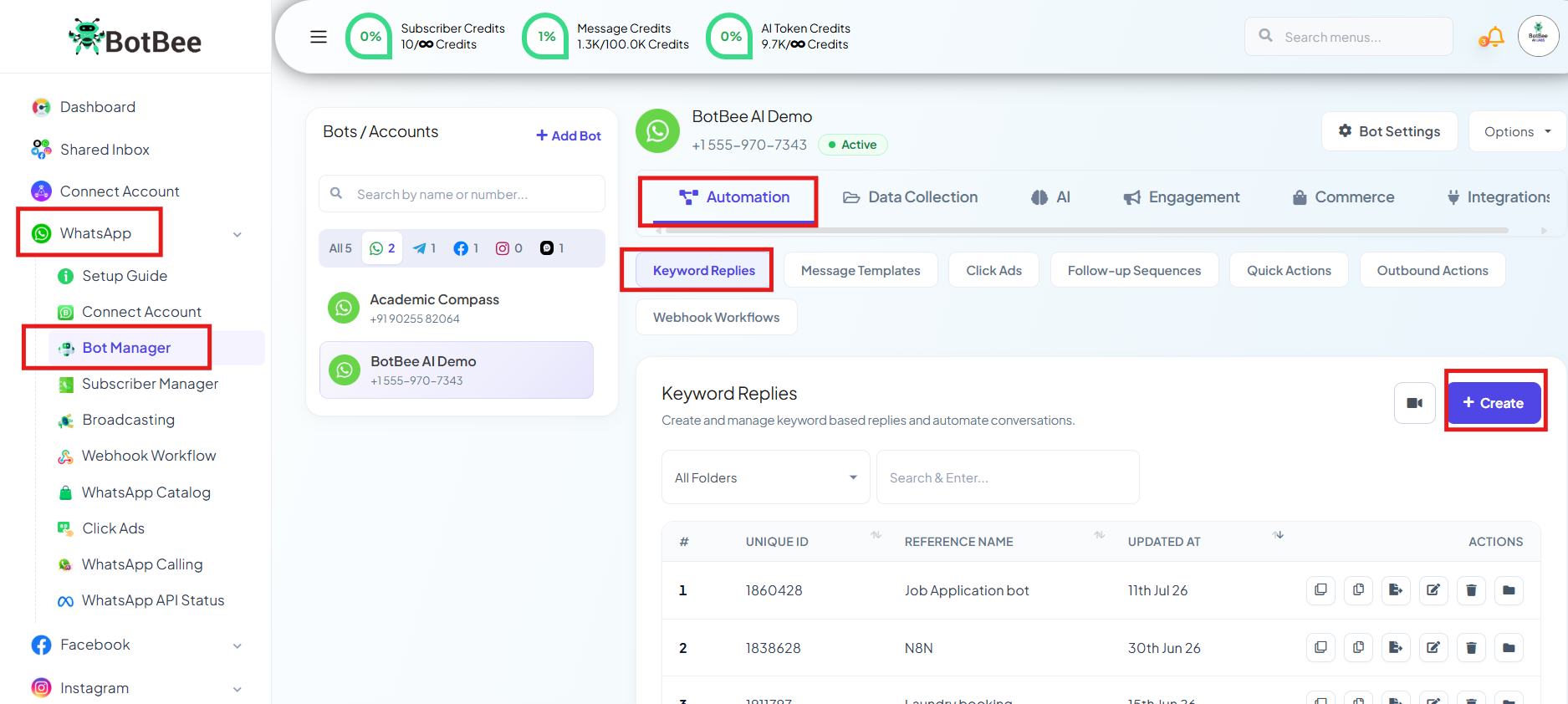
- Log in to your BotBee Dashboard and navigate to Bot Manager under WhatsApp.
- Navigate to Keyword Replies under Automation.
- This will open the Visual Flow Builder, where you can design and manage your chatbot flows.
Step 2: Set the Trigger for the Bot Flow:
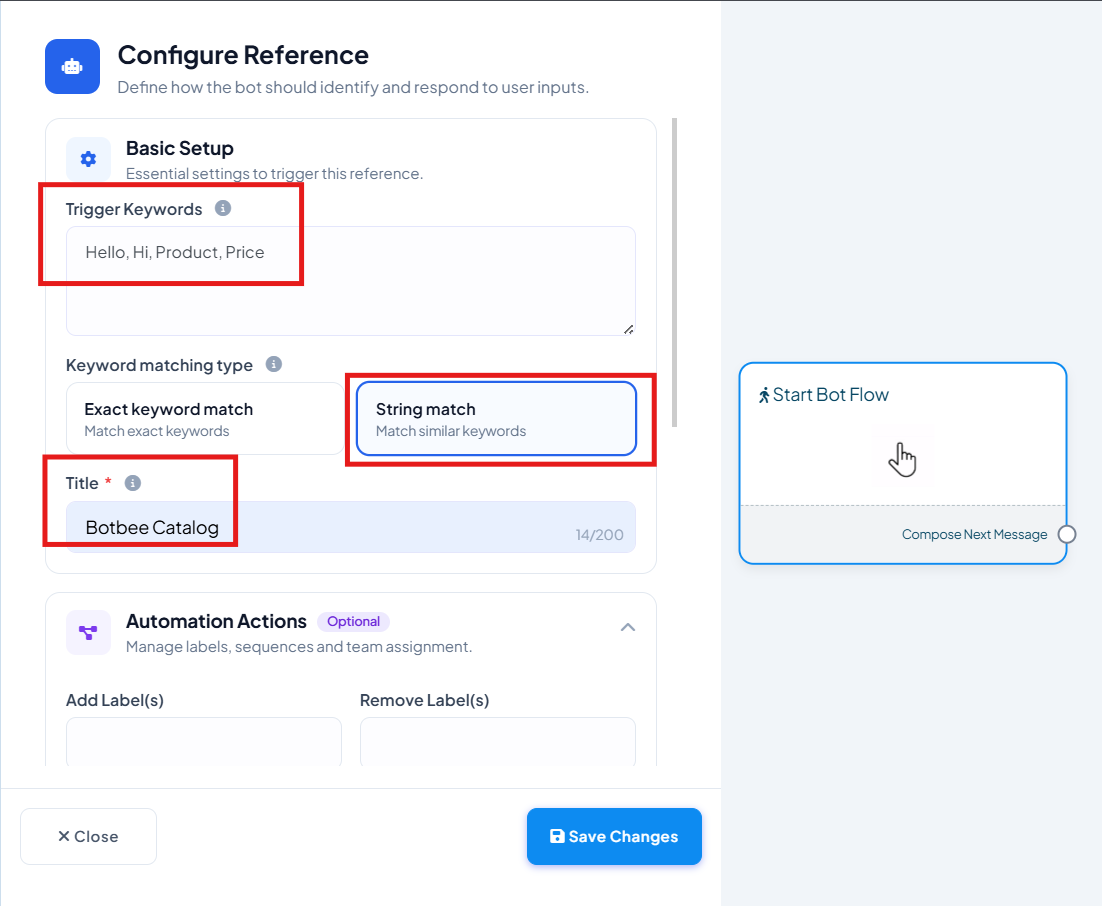
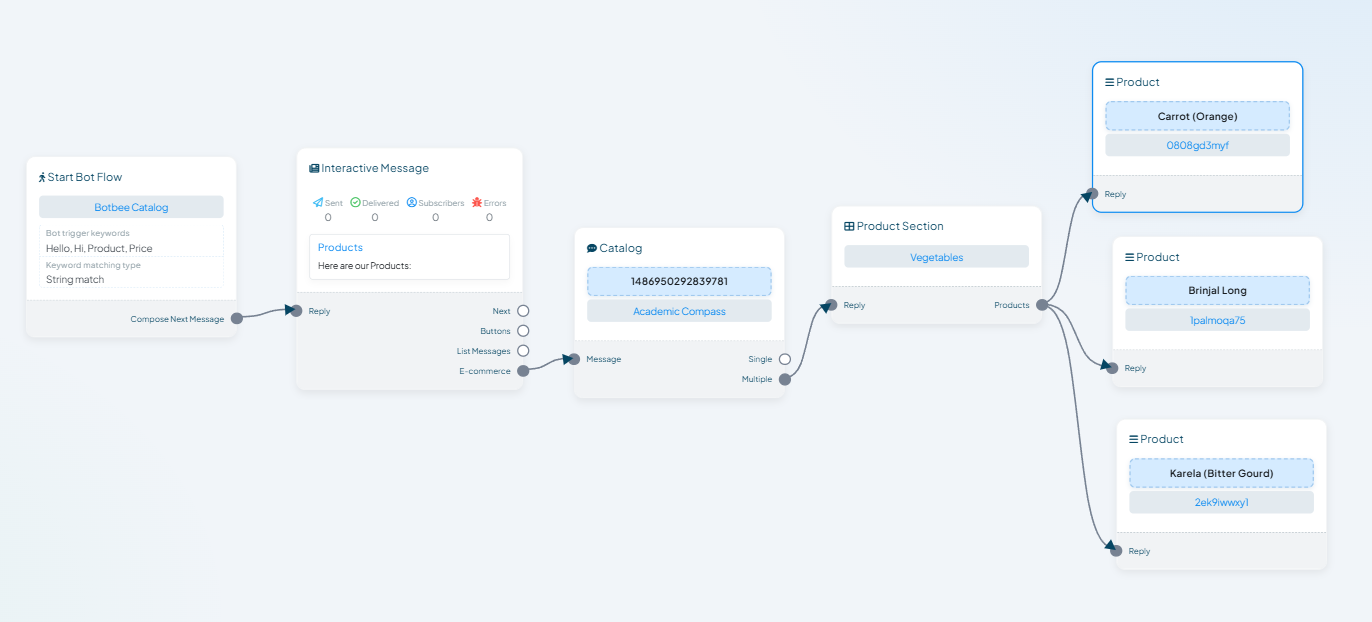
- In the flow builder, locate Start Bot Flow and double-click on it.
- Assign a trigger word (for example: hi,hello,start)
- Give your bot flow a name for easy identification and Click save.
- This trigger word is what users will type on WhatsApp to activate the catalog chatbot.
Step 3: Add an Interactive Element:
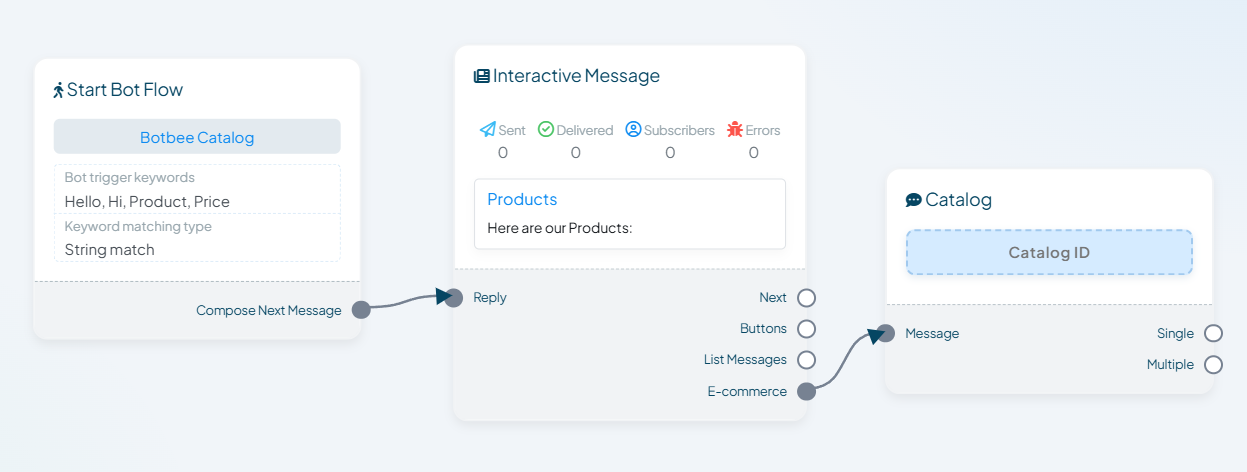
- Next, you need to add an interactive element to display products:
- Drag and drop an Interactive Element onto the canvas.
- Connect it to the Start Bot Flow.
- From the interactive options, drag the “E-commerce” option.
- This will create a Catalog Element in your flow.
- This element enables product browsing directly within WhatsApp.
Step 4: Configure the Catalog Type:
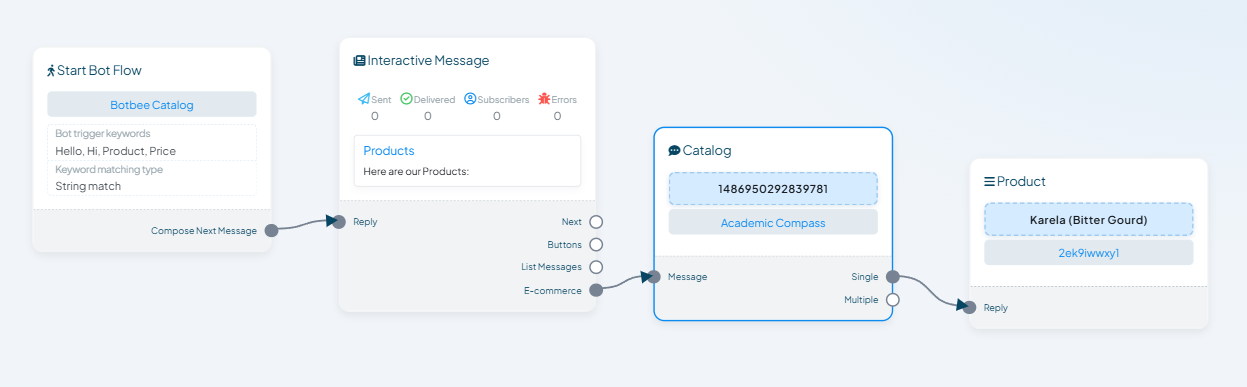
- Double-click on the Catalog Element to configure it.
- Select the catalog you want to display
- Choose the catalog type:
- Single – to show one product
- Multiple – to show a collection of products
(Note: Single and Multiple catalog types cannot be used together in the same element. You must choose one.)
Step 5: Add Products to the Catalog:
- Now, organize and assign products:
- Name your product sections clearly (for example: “New Arrivals” or “Best Sellers”)
- Double-click the Product Element.
- Select specific products from the dropdown list linked to your catalog.
- Repeat this step if you want to add multiple product sections.
- Save and Test the Bot Flow.
Single:
Multiple:
A catalog chatbot not only improves customer experience but also reduces manual support by automating product discovery. With BotBee’s Visual Flow Builder, you can set up a professional WhatsApp catalog in just a few minutes—no coding required.
Once live, keep testing and updating your catalog to ensure customers always see the latest products.
Reference Video:
If you prefer video tutorials here are the links:
English: https://youtu.be/uofYwkLUGS8?si=g5bjXuf0eeLh_hAI
Still Need Help?
If you face difficulties during onboarding:
- Take a screenshot or screen recording.
- Share details with our support team.
Our team will review the onboarding step and guide you further.
Contact: 08069645300
Found this article helpful?
( 3 Out of 6 Found Helpful )