How to send Sequence messages
A sequence campaign on WhatsApp allows you to send a series of automated, time‑based messages to users after they interact with your bot. This is extremely useful for onboarding, promotions, offers, follow‑ups, and nurturing leads without manual effort. Using BotBee’s visual drag‑and‑drop flow builder, you can easily design and manage these sequential campaigns.
This article walks you step by step through the process of creating and sending a WhatsApp sequence campaign using BotBee.
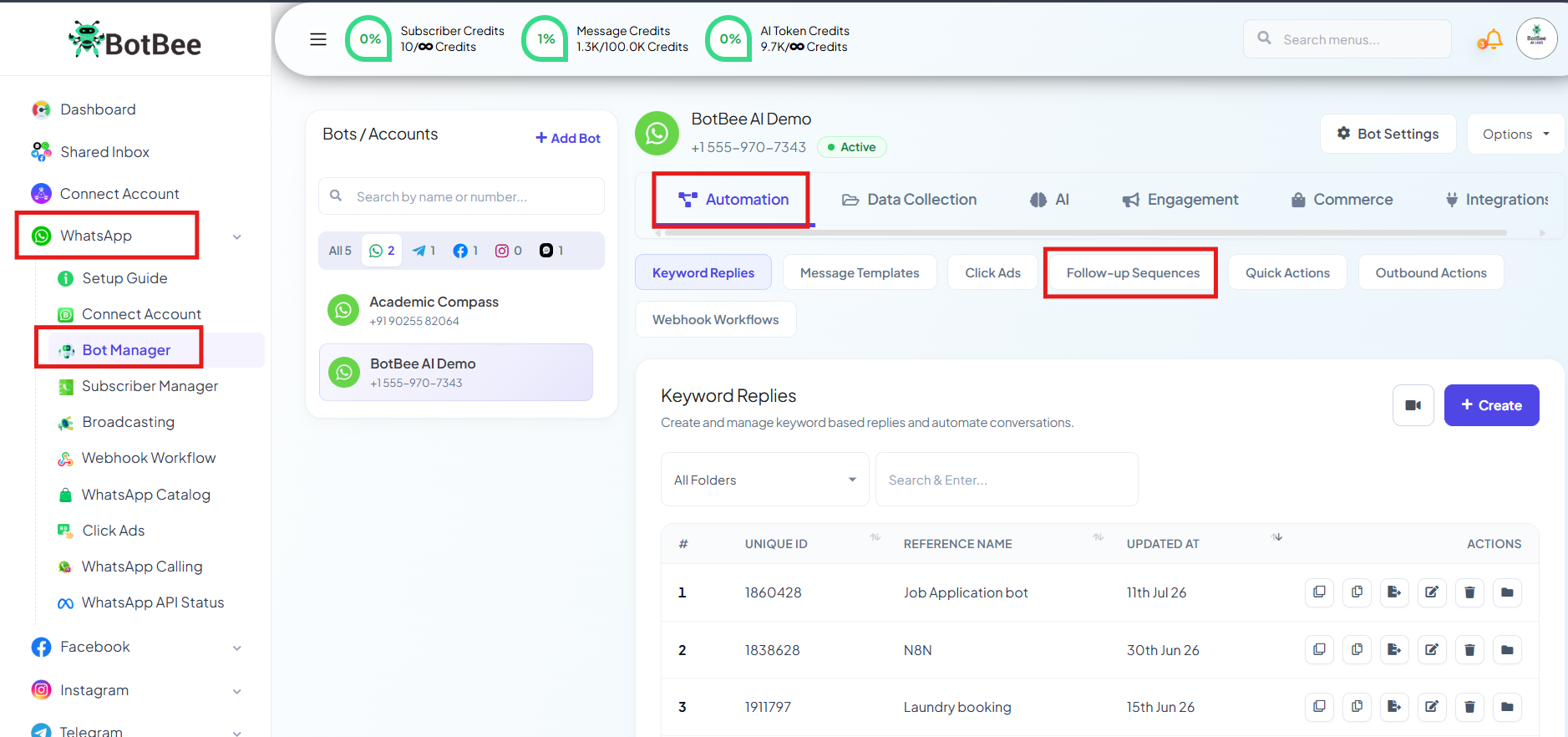
Step 1: Open Bot Manager:
- Go to the BotBee Dashboard.
- Click in Bot Manager from the left menu under WhatsApp.
- Select your Bot Account.
- Scroll down and Click on Follow Up Sequences under Automations Section.
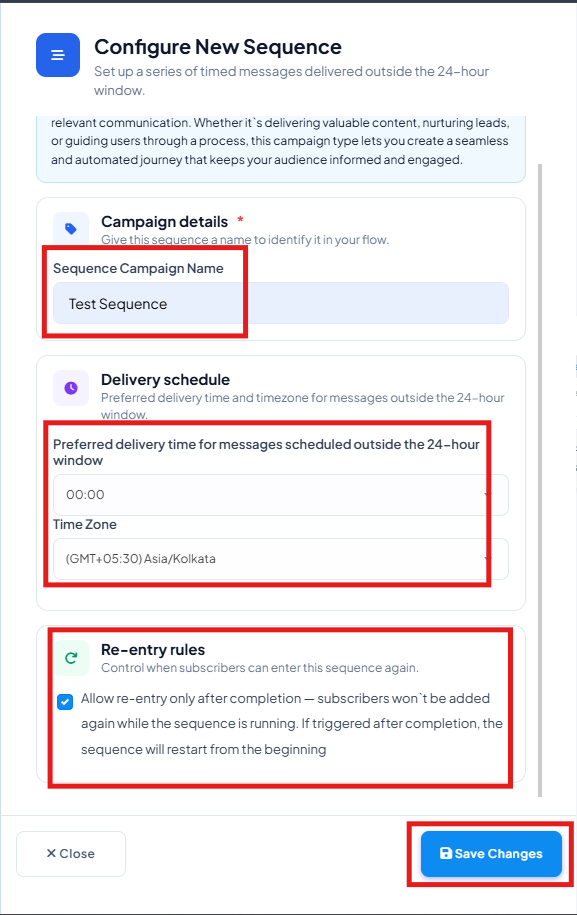
Step 2: Create a Sequence Campaign:
- Click on Create Sequence Campaign
- Enter a Sequence Campaign Name
- Select the correct Time Zone
- Set a Preferred Delivery Time if messages will be sent outside the 24-hour window.
- Re-entry rules: Using this you control when subscribers can enter this sequence again. Subscribers won't be added again while the sequence is running. If triggered after completion, the sequence will restart from the beginning
We can send sequence messages to those who are inside the 24 hour as well to those who are outside of it too. Let’s see both the cases one by one.
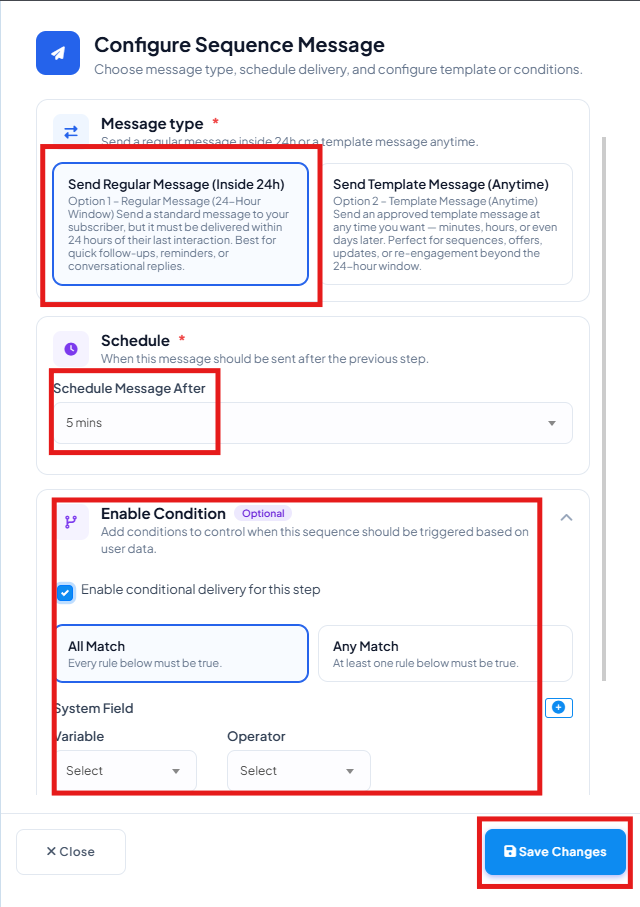
Sending sequence messages to those only who are inside the 24 hour window:
- Select the option of “Send regular message” and then select the time.
- Schedule the time for message.
- Example: If you schedule it for 5 minutes the customer will get the sequence message 5 minutes after the 24 hour window has started.
- Scheduling messages inside the 24 hour window don’t cost you any Meta charges, only credits are consumed.
- You can use conditions to control when this sequence should be triggered based on user data.
- After this write the message you want to send by opening new element like text or interactive.
Sending Sequence Messages Anytime:
- For customers outside the 24 hour window you can only send them message templates.
- Sending sequence message outside the 24 hour window costs you Meta Charges, message credits are also consumed.
- Select the option of “Send Template Message (Anytime)”.
- Now select the message template.
- You can use conditions to control when this sequence should be triggered based on user data.
- Schedule the time for message and save.
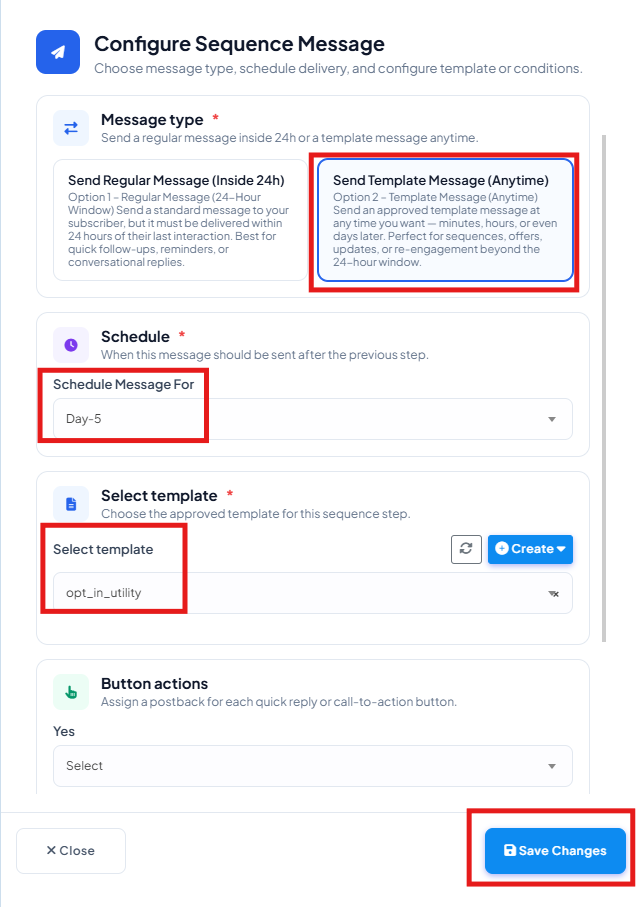
- Save it and the sequence messages are scheduled successfully.
Step 3: Add Sequence in Chatbot:
- To add this sequence in the chatbot go to keyword replies under Bot Manager.
- Double click on Start Bot Flow and choose your sequence from "Subscribe to Sequence."
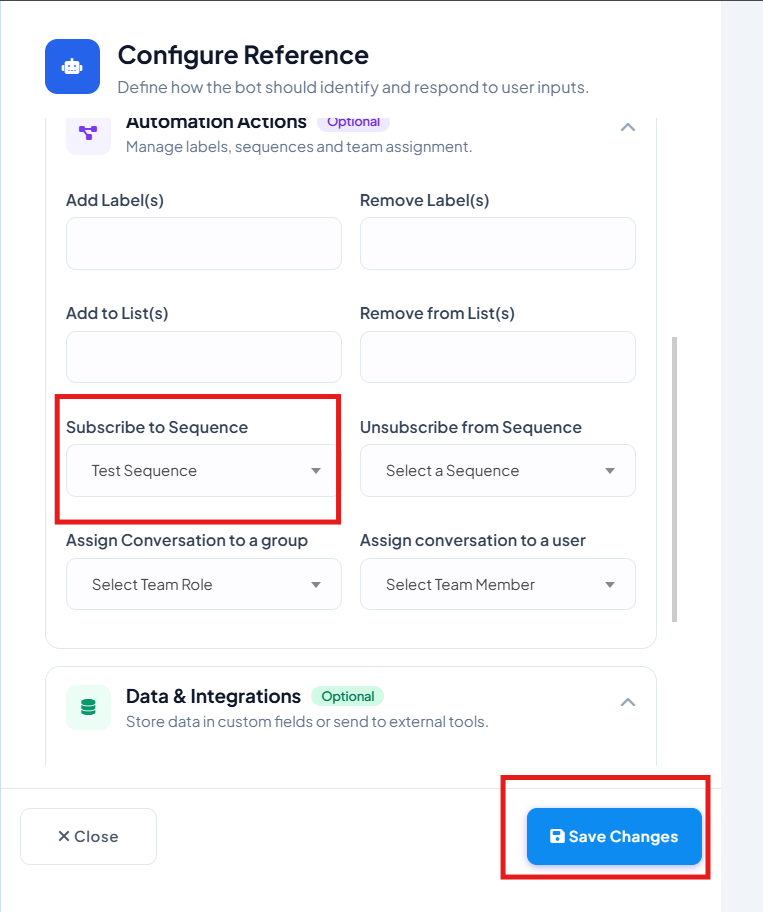
Important points:
- One can add sequence at the very beginning so that the customers visiting the chatbot will get the sequence even if they don't finish the whole bot.
- You can even add it after buttons also so the customer after clicking a particular button will be subscribed to sequence.
Sequence campaigns in BotBee make WhatsApp automation powerful and effortless. By combining interactive bot flows with scheduled follow-up messages, you can engage users at the right time, deliver value consistently, and increase conversions- while staying compliant with WhatsApp policies. Once set up, these campaigns work automatically, helping you scale communication without extra manual effort.
Reference Video:
If you prefer video tutorials here are the links:
English: https://youtu.be/c1rNXrbF0qc?si=eG3dEGF8w3nytkHt
Still Need Help?
If you face difficulties during onboarding:
- Take a screenshot or screen recording.
- Share details with our support team.
Our team will review the onboarding step and guide you further.
Contact: 08069645300
Found this article helpful?
( 4 Out of 8 Found Helpful )