Setting up Ice Breakers and Commands
When someone lands in your WhatsApp chat, you don’t get a second chance at a first impression. That’s exactly where BotBee shines—helping you automate conversations that feel smooth, helpful, and actually human. Let’s walk through how you can set up the essentials: icebreakers and commands even location collection.
1. Creating Icebreakers:
Icebreakers are clickable questions that help users start conversations instantly.
Step1: Navigate to Automation:
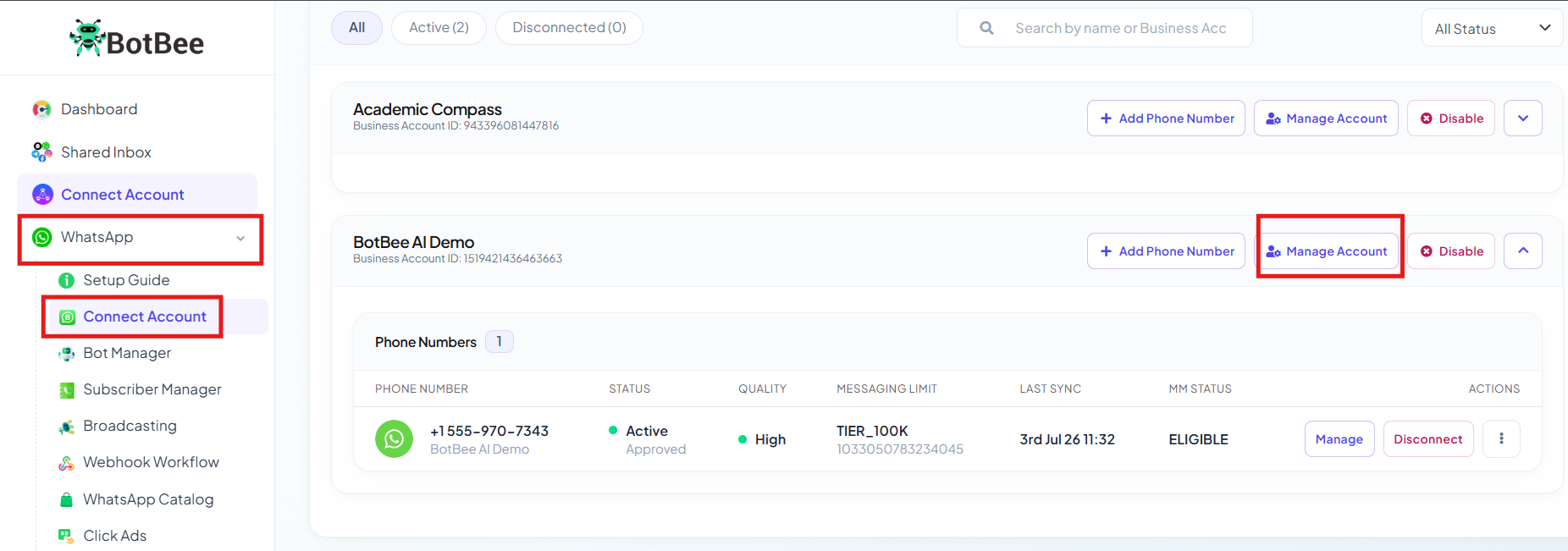
- Go to WhatsApp → Connect Account
- Click Manage Account on your connected account.
- You will be redirected to Business Overview.
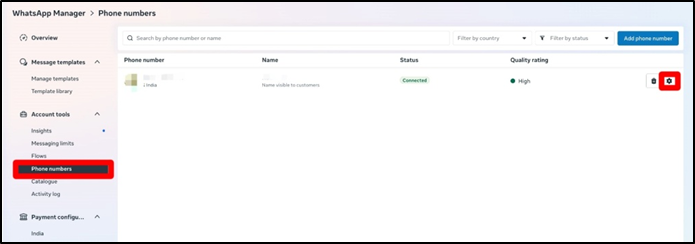
- From the left side menu go to “Phone Numbers”
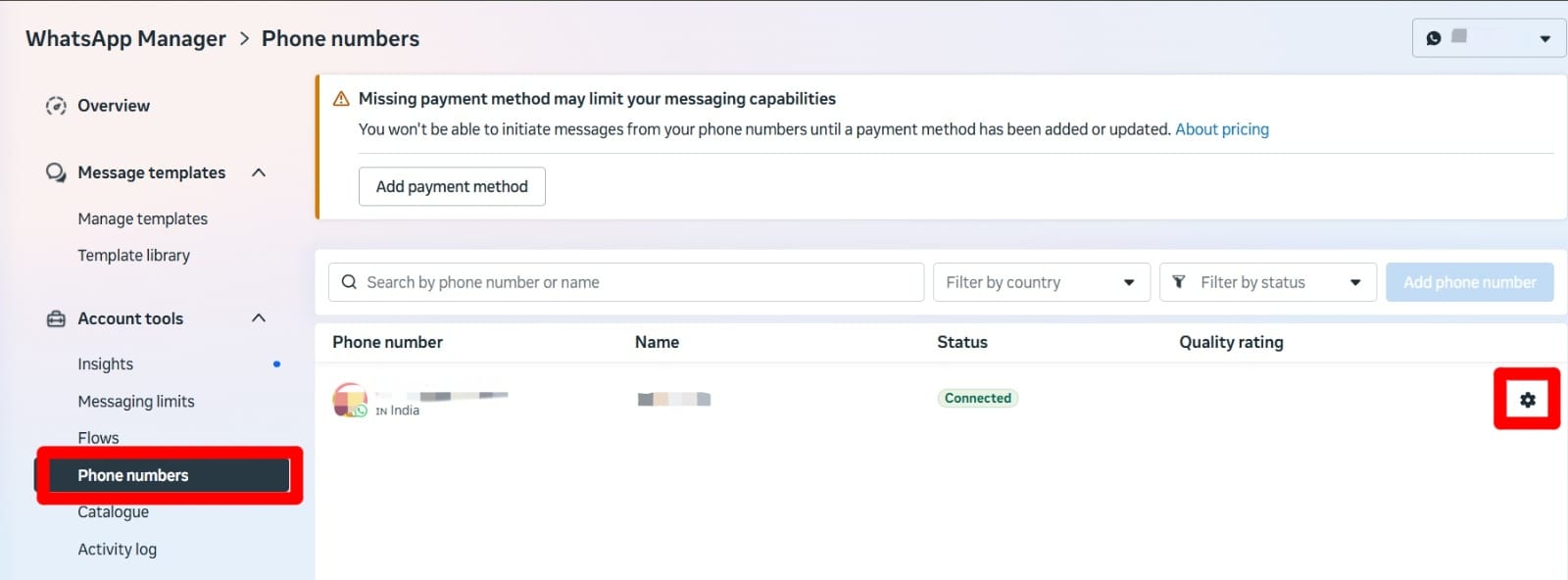
- Click on Settings Icon.
- Click on Automations.
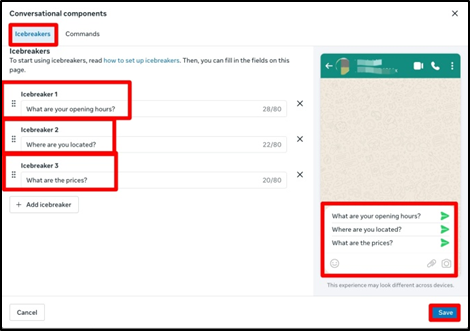
- Find the Icebreakers section and Click Edit.
- Add your common questions and Click on Save.
Step 2: Connect icebreakers to bot replies:
- Go back to Bot Manager under WhatsApp.
- Create a new automation flow for each icebreaker question.
- The keyword must match the icebreaker question exactly.
- You can add different response types: Text message, Media (image/video), Button responses, CTA URL buttons.
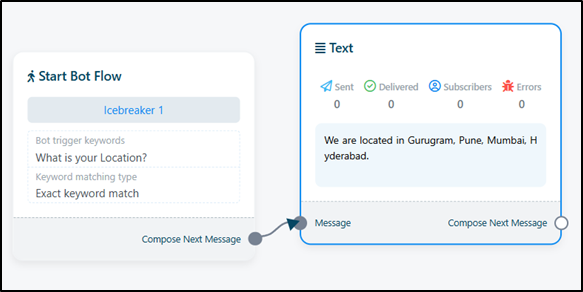
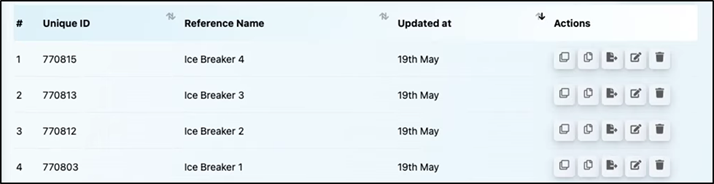
- Repeat for All Icebreakers
- Create a separate bot flow for each icebreaker question.
2. Setting up Commands:
Commands are like shortcuts. Users type something like /help, and your bot instantly responds.
You can set up your commands in the same way as Icebreakers.
Step 1: Create Commands:
- Under Automations, Search for Commands.
- Click Command Edit.
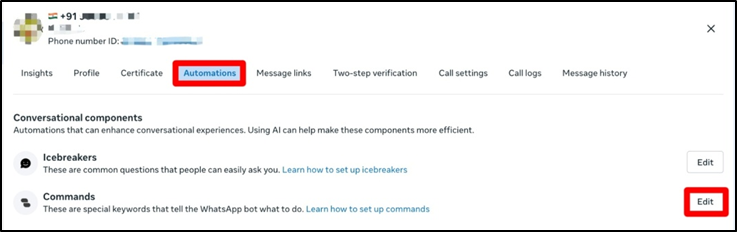
- Add your command (must start with /). (Example: /help)
- Add a short description.
Step 2: Link commands to bot flows:
- Go to Bot Manager under WhatsApp.
- Create a flow with the exact command as the Keyword.
- Define the response and save the bot flow.
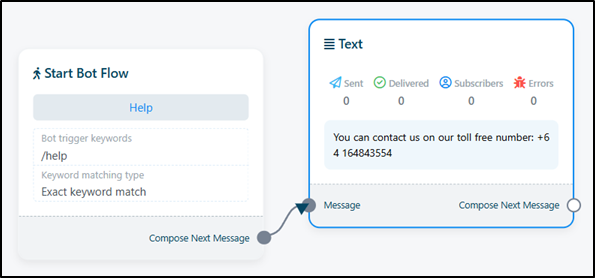
- Repeat for All Commands.
- Create a separate bot flow for each Command.
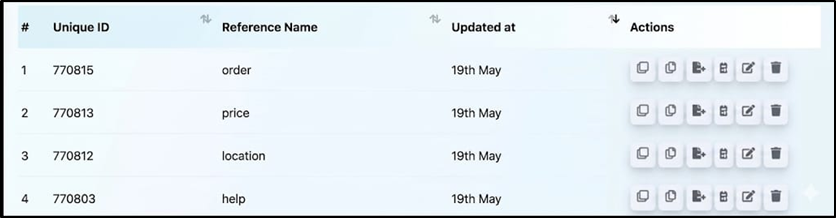
Testing Your Setup
- Before going live, always test everything like a real user.
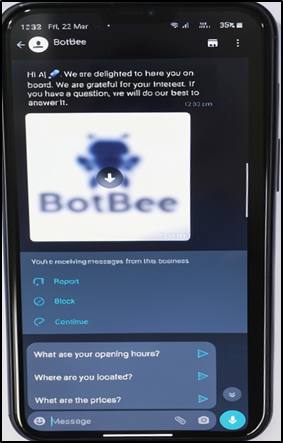
- Icebreakers: Open the chat and check if the buttons for icebreakers appear.
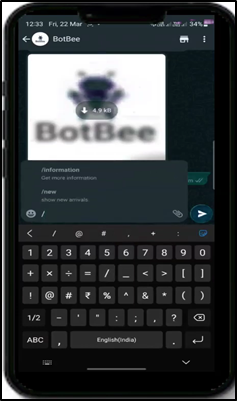
- Commands: Type / → Your commands should show up.
Reference Video:
If you prefer video tutorials here are the links:
English: https://youtu.be/JyDacpT40e0?si=Cy13SnvZ6VI_rNH4
Still Need Help?
If you face difficulties during onboarding:
- Take a screenshot or screen recording.
- Share details with our support team.
Our team will review the onboarding step and guide you further.
Contact: 08069645300
Found this article helpful?
( 3 Out of 6 Found Helpful )